 Xpense
The auto-fetch flow
Your statements,
handled automatically.
Connect your Gmail once. XpenseAI finds your bank and credit card statements, opens the password-protected ones, and turns them into a clean list of transactions — no typing required. It also picks up individual transaction-alert emails as they arrive, so nothing waits for the next statement. Nothing reaches your transaction list until you approve it.
-
Connect Gmail
One sign-in. We only ever read mail to find statements — we can't send, delete, or change anything.
-
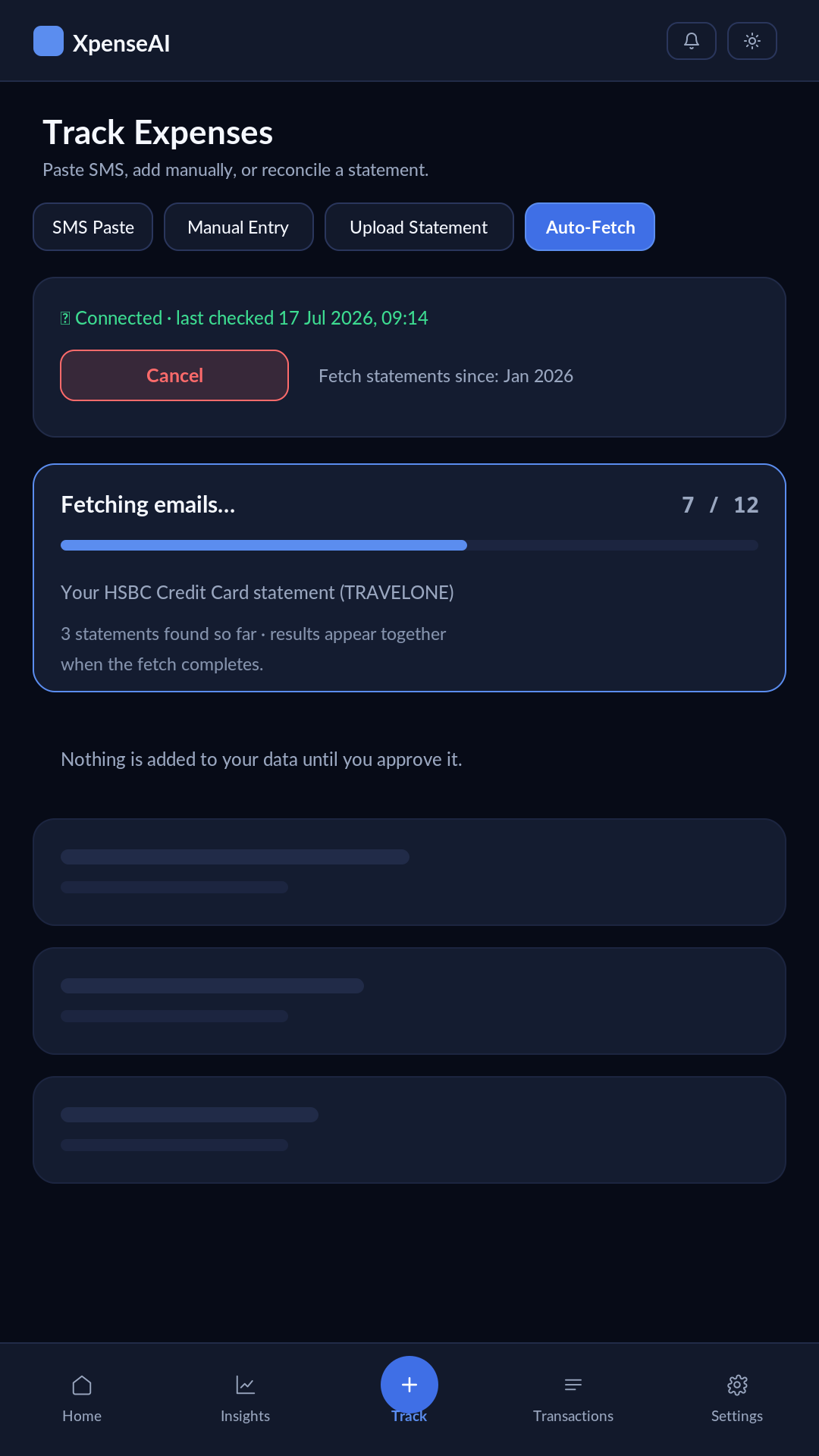
We find your statements and transaction alerts
Automatically, from your usual banks and cards — both the monthly statement and the "debited"/"credited" alert email for each transaction.
-
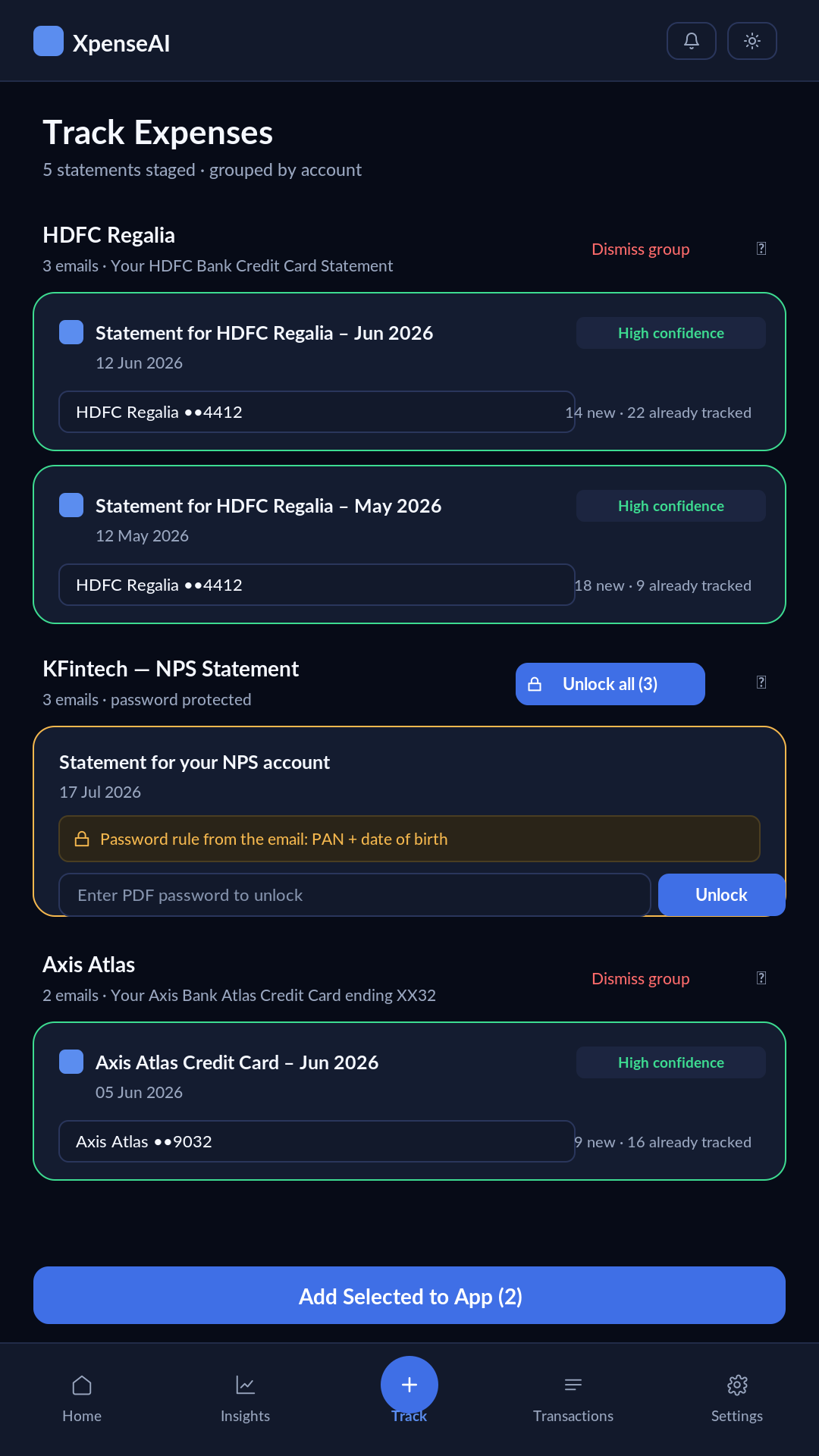
We unlock and read them
Including password-protected PDFs.
-
We match them to the right account
And skip anything you've already added, so nothing gets counted twice.
-
You review and approve
Nothing is added to your records until you say so.
What it looks like
Questions people actually ask
- What if a statement won't unlock?
- You'll be asked to enter the password yourself — nothing is silently skipped.
- What if my bank sends a download link instead of a PDF?
- We'll tell you it was skipped, so you're never left guessing why a statement never appeared.
- What if a transaction happens between statements?
- Most banks also email an alert the moment you spend or receive money — we catch those too, matched to the right account and staged the same way, so it doesn't wait for the next statement to show up.
- Can I still add things by hand?
- Yes. Paste a bank SMS, enter a transaction manually, upload a statement PDF directly, or import a CSV or Excel export. Auto-fetch is the default path, not the only one.
- What happens to my data if I sign out?
- Everything is saved to your account and comes back when you sign back in.