XpenseAI Get started

Built for Indian banks and cards

Your statements are already
in your inbox.

XpenseAI finds them, unlocks the password-protected PDFs, matches each one to the right card, and reconciles it against what you already track. It also catches individual transaction alerts your bank emails you between statements. You review and approve. No typing.

What you actually get

Four things most expense apps in India make you do by hand.

Statements and transaction alerts, pulled from Gmail

Read-only access, scoped to statement and transaction-alert mail. We fetch your bank and credit card statements, plus the "debited"/"credited" alert your bank emails the moment you spend โ€” nothing else in your inbox is touched.

Password-protected PDFs opened

It derives the password from your details using each bank's convention. When several statements from one issuer are locked, one password unlocks the whole group at once.

Reconciled, not duplicated

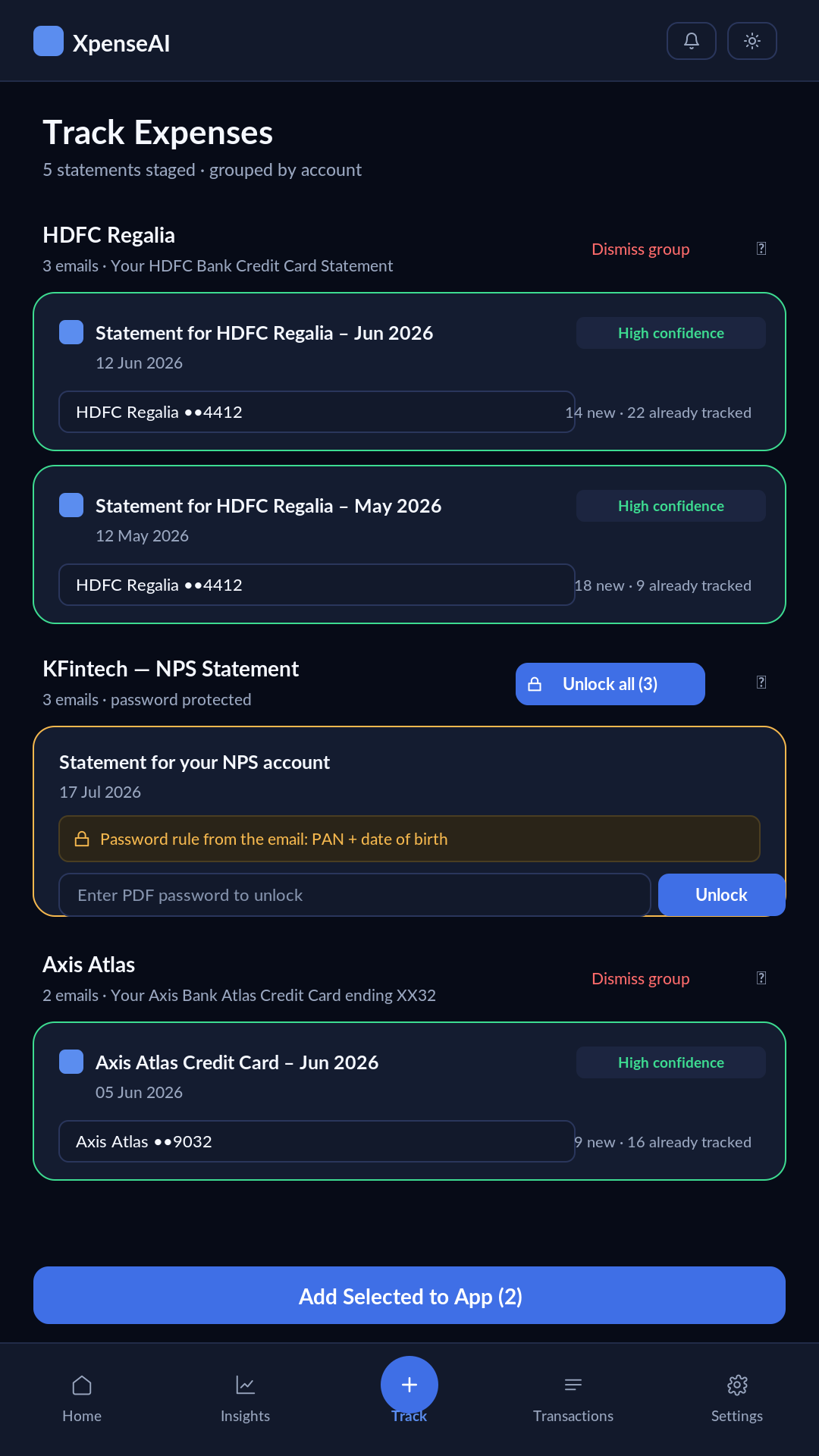
Every statement is compared against transactions you already have. You see "14 new ยท 22 already tracked" before anything is added, so an import never doubles up your spending.

Savings, credit cards and cash

Card dues with utilisation, savings balances, and a cash-in-hand wallet for the spending that never touches a bank. Net worth is savings minus card dues, not a guess.

The app

Five destinations. Track sits in the middle because it's the thing you'll open most.

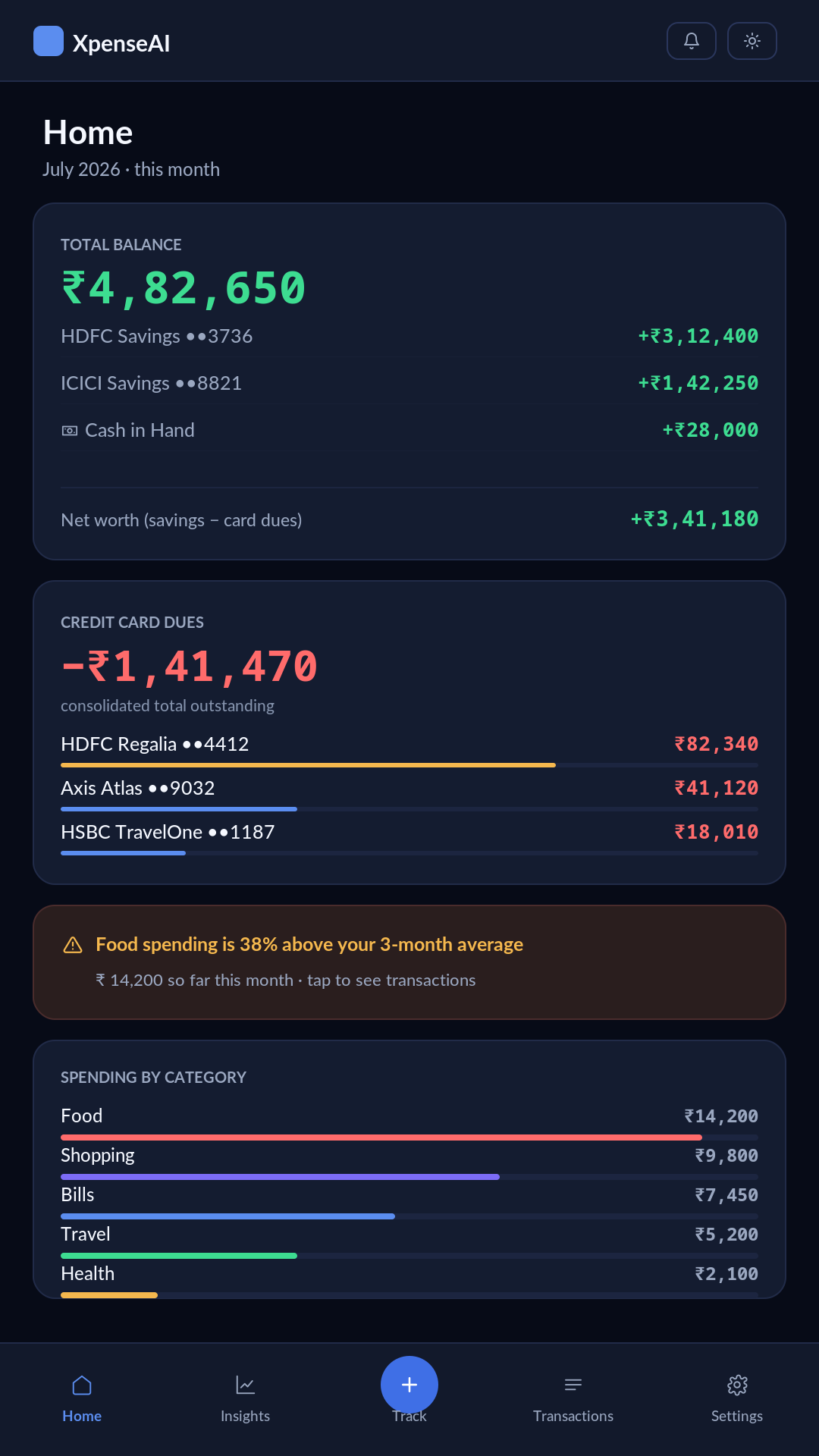
Home screen showing a total balance of โ‚น4,82,650 across two savings accounts and cash in hand, credit card dues of โ‚น1,41,470 across three cards with utilisation bars, an overspend alert, and spending by category.
Home
Track screen showing five staged statements grouped by account: an HDFC Regalia group with two high-confidence matches, a locked KFintech group offering Unlock all, and an Axis Atlas group.
Statements, grouped
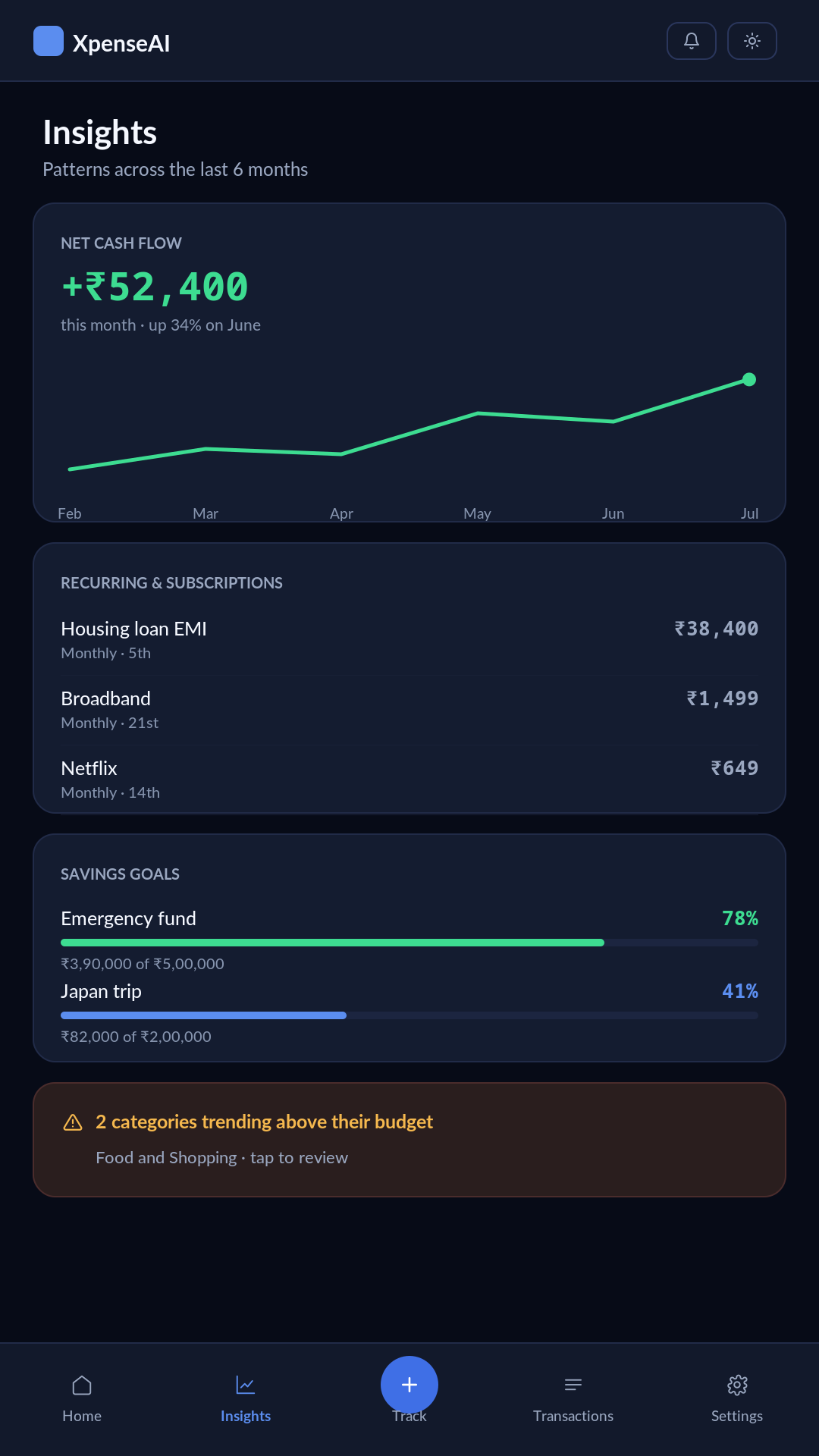
Insights screen showing net cash flow of โ‚น52,400 this month on a six-month rising trend line, three detected recurring payments, two savings goals at 78% and 41%, and an alert that two categories are trending above budget.
Insights
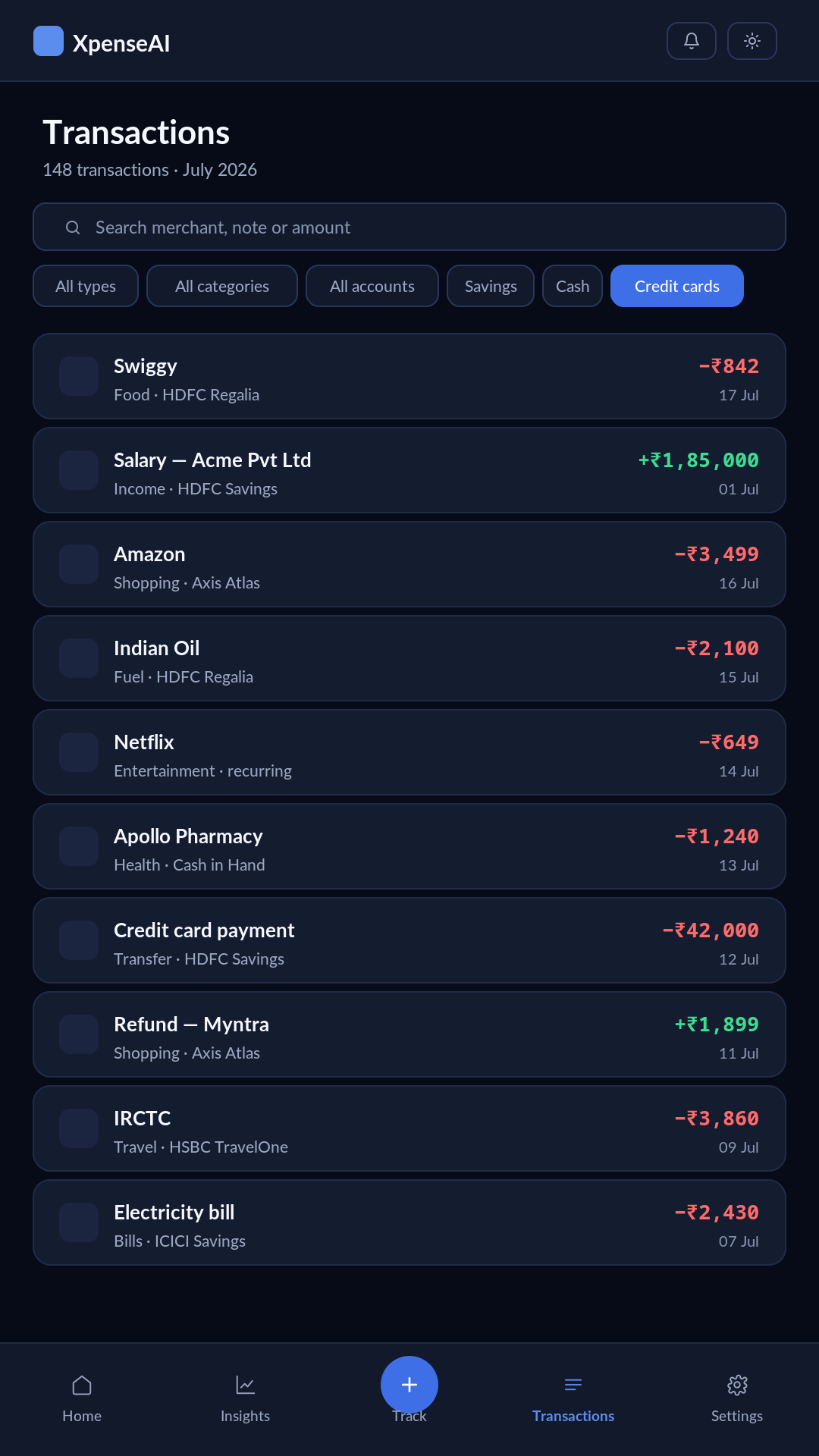
Transactions screen listing ten transactions with search and filters for type, category, account and account type, credits shown in green and debits in red.
Transactions
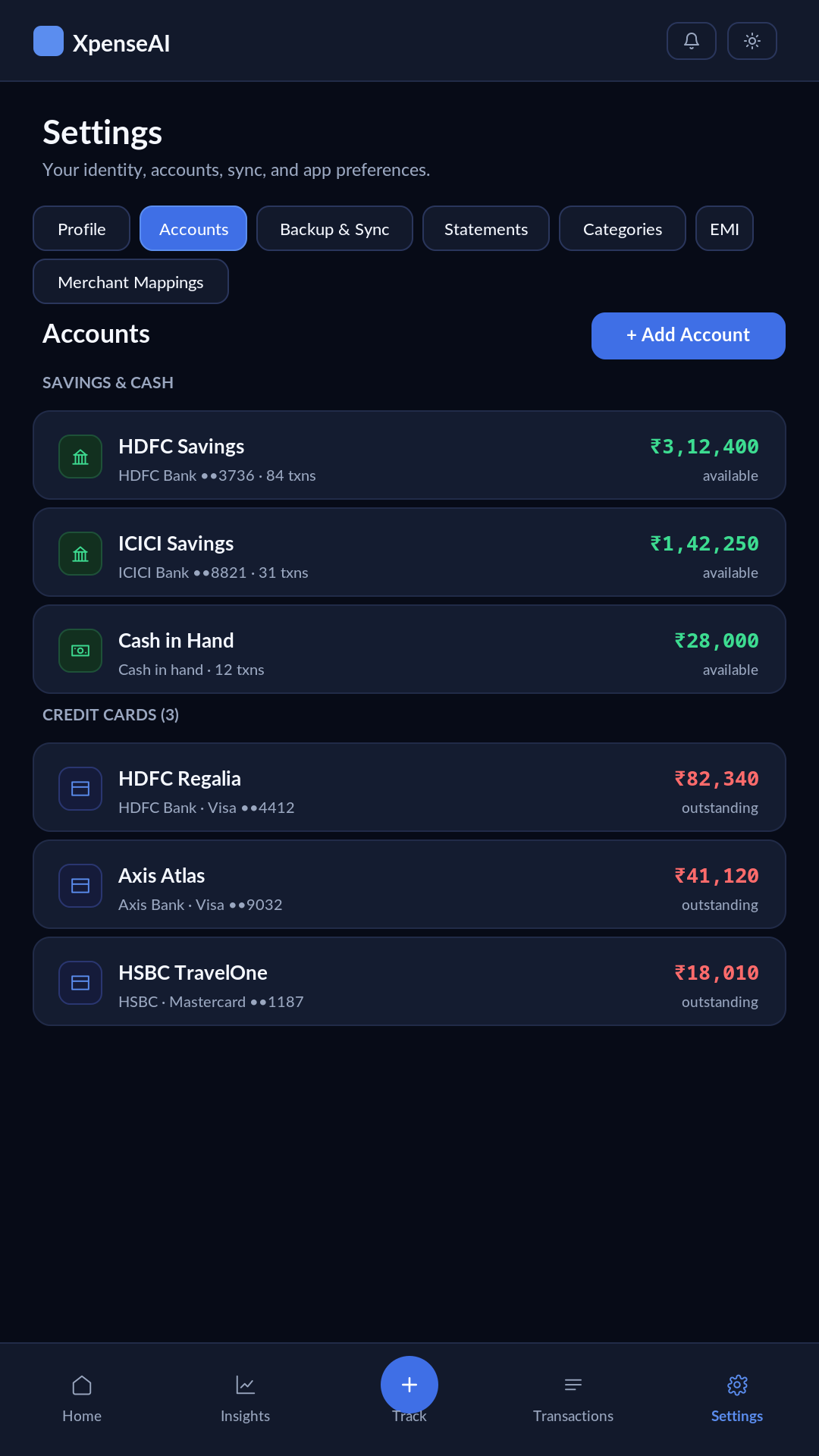
Settings screen on the Accounts section, listing two savings accounts, a cash-in-hand wallet, and three credit cards with outstanding balances.
Accounts

Nothing is added without your approval. Fetched statements land in a review queue. You pick which ones to add, per statement or per group, and dismiss the rest. A statement you've already handled is never fetched again unless you reset the fetch history yourself.