 Xpense
A credit card changes how spending feels. The money leaves your account weeks later, as one lump sum, so the purchases themselves never show up where you look at your balance. By the time the statement arrives, the month is over and the only decision left is whether to pay it.
1. Track the card as its own account
Your bank account shows one payment to the card each month. It says nothing about what that payment was for. If you only track the bank side, a ₹40,000 card bill is a single line, and the groceries, fuel and subscriptions inside it are invisible. Treat the card as an account in its own right, with every purchase recorded against it.
2. Do not count the bill payment as spending
The classic double-count: you record each purchase on the card, then record the monthly bill payment from your bank as another expense. The same money is now counted twice. The payment is a transfer between your bank and your card, not a new purchase, and it should be kept out of your spending totals.
3. Read the statement for what the SMS does not tell you
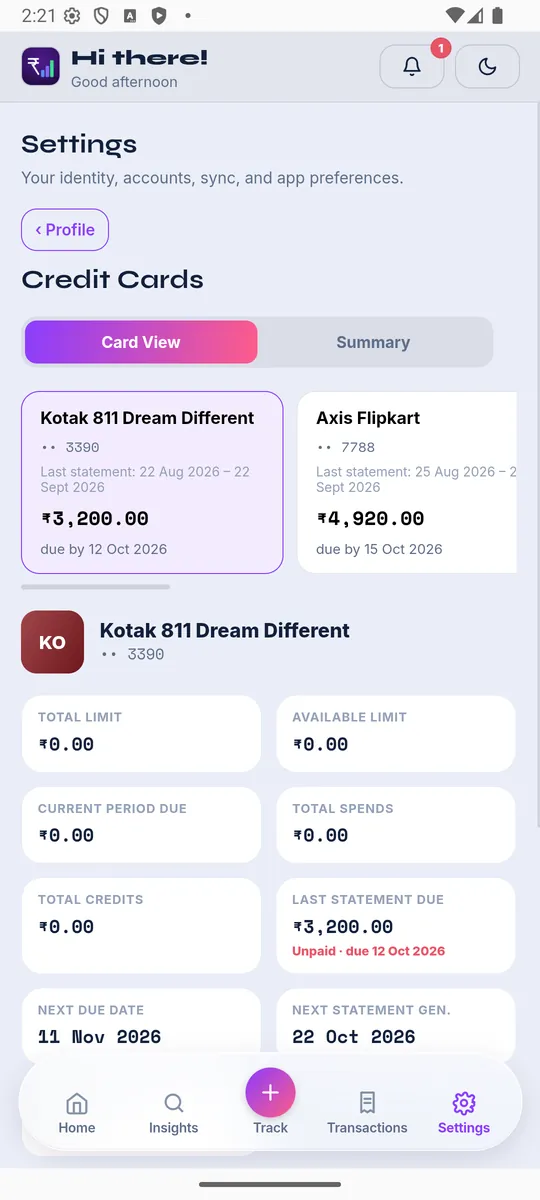
Transaction alerts are fast but partial. The statement is the authoritative record: it has the full list, the fees, the interest, and the amount actually due. Matching the two is how you notice a charge you did not make, or a fee you did not expect.
4. Watch the due date and the minimum, separately
The total due, the minimum due and the due date are three different numbers, and only one of them keeps you out of interest. Paying only the minimum leaves the rest to attract interest from the purchase date, which is the most expensive way to use a card.
5. Check subscriptions every statement
Recurring charges hide well on a card, because the amount is small and the date never changes. A quick scan of each statement for names you do not recognise catches the ones you forgot.
What this looks like in practice
The goal is simple: every card purchase categorised as it happens, the bill payment treated as a transfer, and the statement used to confirm the picture rather than to discover it.
XpenseAI reads your card statements from Gmail, matches them to the right card, and lets you review before anything is saved, so the monthly bill stops being a surprise. See how it works or get started free.