 Xpense
Full reference guide
How to use XpenseAI
Pick a tab below — it's organized exactly like the app's own bottom navigation. Every feature on that tab loads right there, with real screenshots from the app.
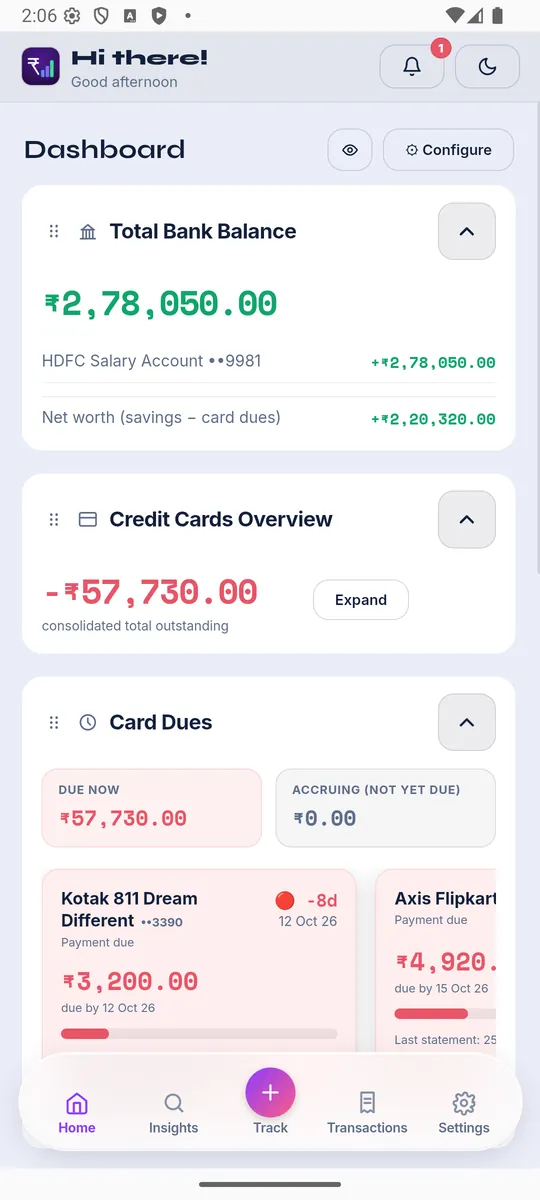
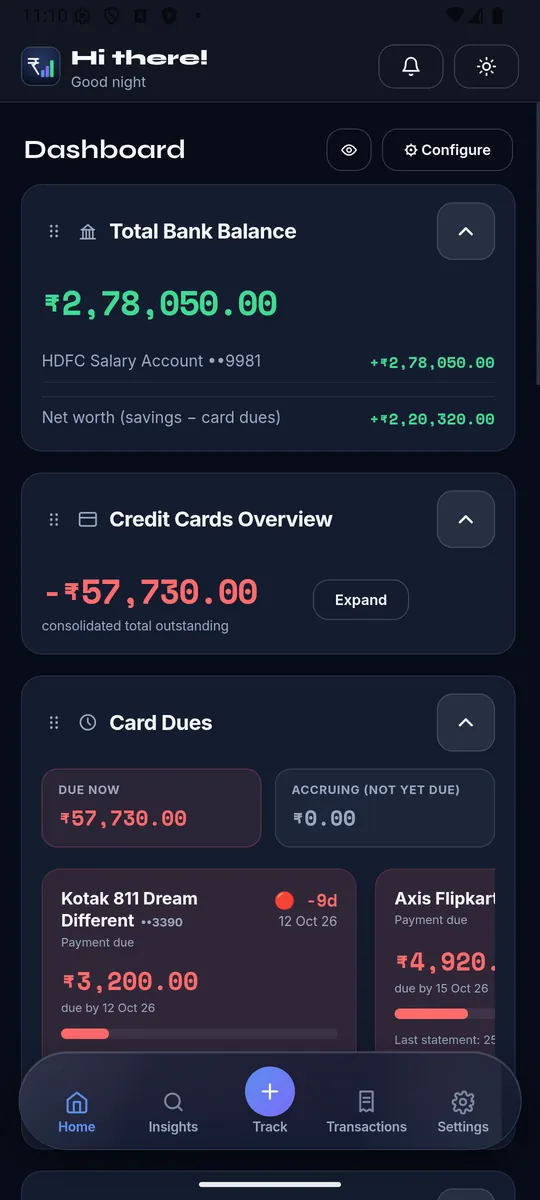
Your customizable overview — widgets you can turn on/off, reorder, and collapse. Tap ⚙ Configure (top-right in the app) to open the widget list: drag the ⠿ handle to reorder, flip the switch to show/hide, or drag directly on the live dashboard.
🏦Total Bank Balance
One big total across every savings/cash account, a per-account breakdown (capped at 5, "Show more" for the rest), and a Net worth line (savings − card dues) at the bottom.
💳Credit Cards Overview
The combined amount owed across every card. Expand it for a per-card (and per shared-limit pool) breakdown with each card's balance and spend in the selected range. Tap a card to jump to its detail in Settings.
📊Cash Flow
Pick a date range, then five tiles: Income, Expenses, Bill Payments (cash actually paid toward card bills), Invested, and CC dues this cycle.
⏰Card Dues
Due Now (already billed) vs Accruing (spent this cycle, not billed yet), then a scrollable row of per-card tiles with a color urgency badge (🟢 on track / 🟡 due soon / 🔴 overdue), due date, days left, a progress bar, and this cycle's spend.
🧾Credit Card EMI
"+ Record EMI" button, summary tiles (EMI remaining / plans running / EMI per month), then every card's running plans with a paid/remaining progress bar and a "📌 Track EMI" button to log this month's installment.
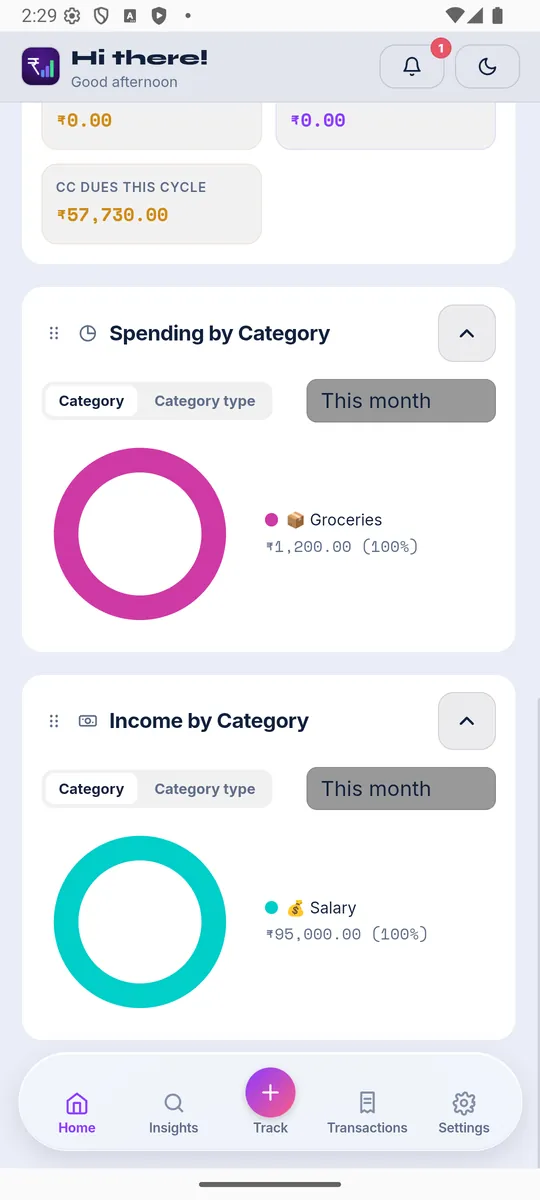
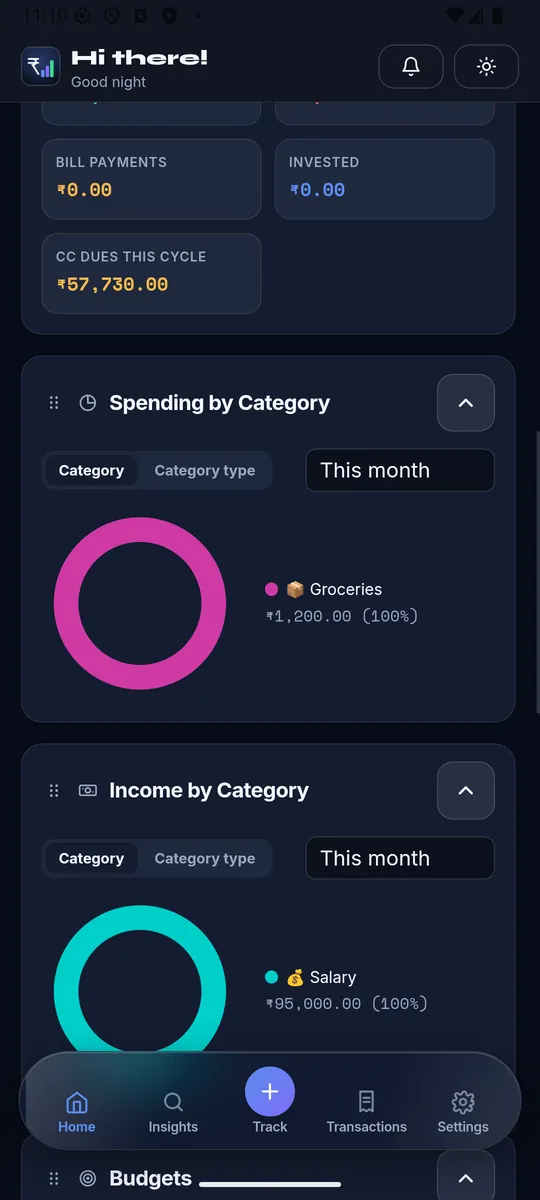
🥧Spending by Category
Donut chart + legend for the selected range, with a Category/Category Type toggle. Tap a slice to jump to filtered Transactions.
💵Income by Category
Same donut treatment, for money received.
🎯Budgets
Every named, multi-category budget (monthly/yearly/tax-year) with spent-vs-limit and a progress bar — add/edit/remove right from the widget.
🎯Category Budgets
A simpler limit directly on one category or a whole Category Type, no name required — grouped by type with its own progress bars.
📈Statistics
Read-only analytics: cash flow over a switchable range, an income/expense/savings-rate summary, and category breakdowns — tap to drill into Transactions.
🐷Savings Goals
Each goal's target, saved-so-far, and target date as a progress ring. Add/edit/remove goals and see which transactions funded each one here — this is the only place Goals live; there's no separate Goals page in Settings.
📅Monthly Payments Calendar
A calendar + list of everything due this month — recurring bills/income plus card due/statement dates, live. Tap an item to see its month-by-month tracked history, dismiss a month, or manually link an undetected month to a real transaction.
📈Net Worth Trend
Current net worth as a big number, plus a line chart of how it's moved over time, built from your real transaction history up to today.
🏁Debt Payoff Calculator
Model paying off every loan + card EMI together with Avalanche, Snowball, or Custom strategy, an optional extra monthly budget, a payoff schedule, and real payment tracking against it.
🙈Privacy Mode
The eye icon next to Configure blurs every amount app-wide (****) until toggled off — a device-level setting, saved locally, not synced across devices.
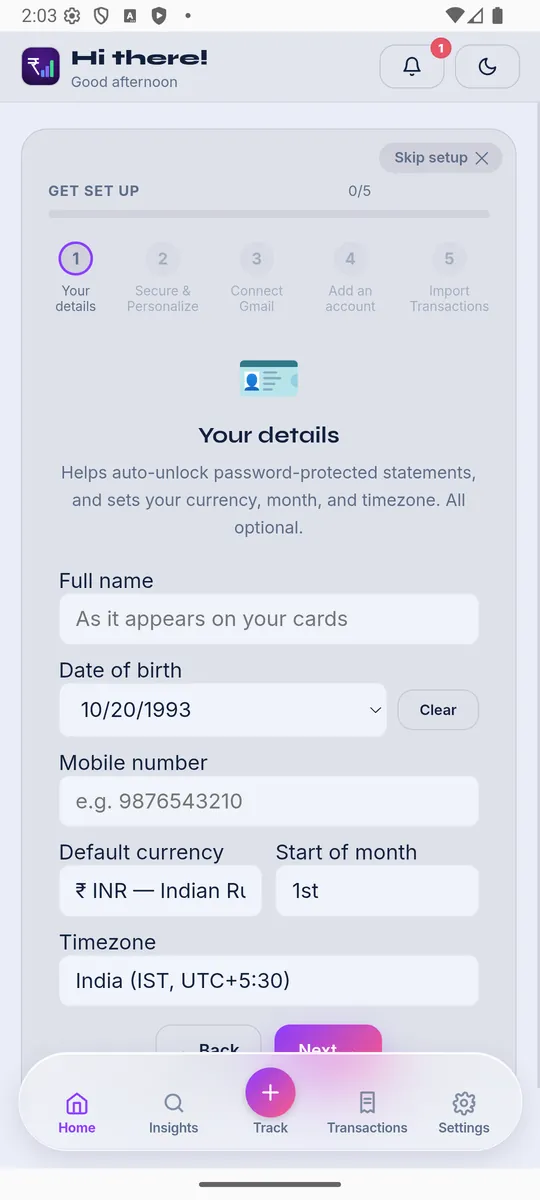
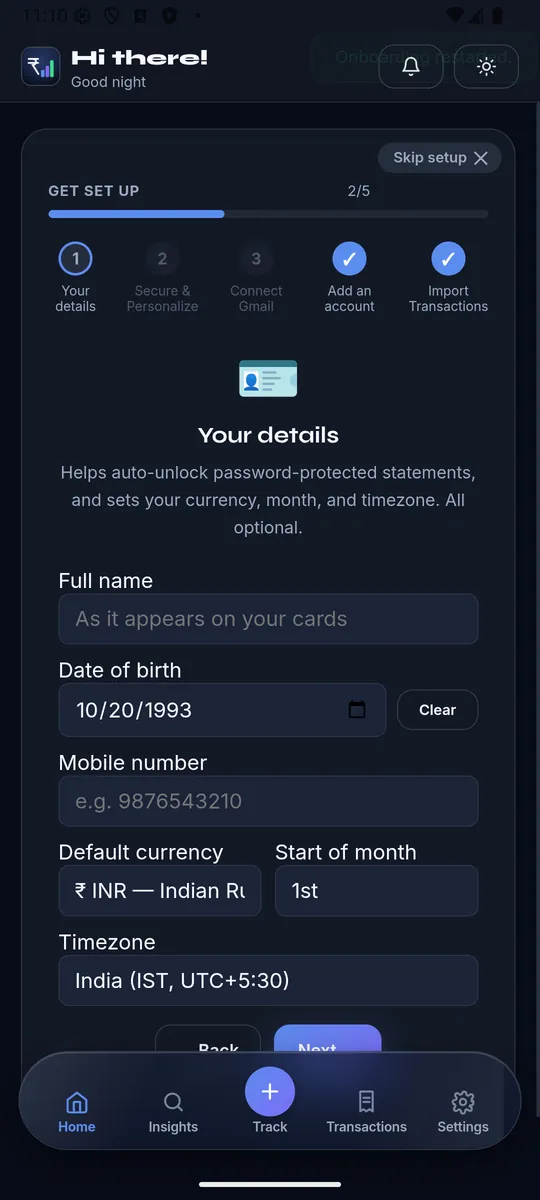
🪄First-run Onboarding
- Your details — name, DOB, mobile, currency, start-of-month day, timezone.
- Secure & Personalize — backup password, Biometric Lock, theme.
- Connect Gmail — so the app can scan for statement/transaction emails.
- Add an account — detected bank accounts from your inbox, or add manually.
- Import Transactions — finishes setup and jumps straight to Track.
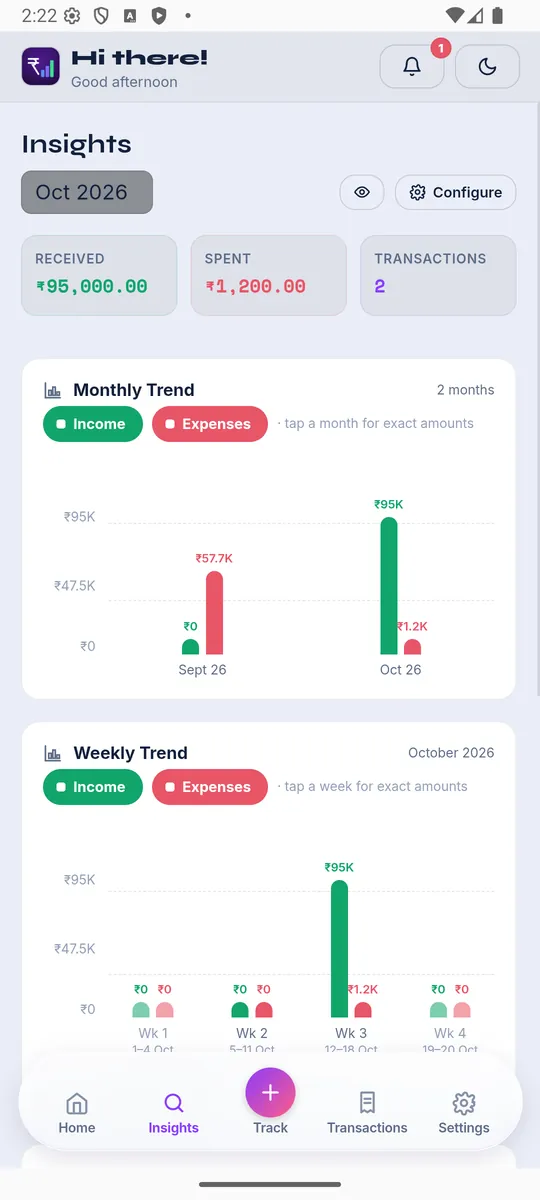
Deeper analysis of where your money goes. A month/cycle picker lets you browse any past period. Section order is fixed (tap ⚙ Configure to show/hide sections, not reorder) — always appears in this order:
🚨Spending Alerts
Warning cards when a budgeted category (or overall spend) is trending over or near its limit this cycle. Expand to see the exact transactions counted; dismiss for the rest of this cycle only.
📍Mid-cycle Check-in
"Day X of Y — ₹amount spent so far, N% more/less than at this point last cycle," with a progress bar for how far through the cycle you are.
📰Monthly Recaps
An automatic snapshot once a cycle closes: Income/Spent/transaction-count tiles, a vs-last-cycle line, top spending categories (expandable to the real transactions), and other facts (largest transaction, most frequent merchant). A "⚠ May be outdated" badge with a Reconcile button appears if something changed after the recap was generated.
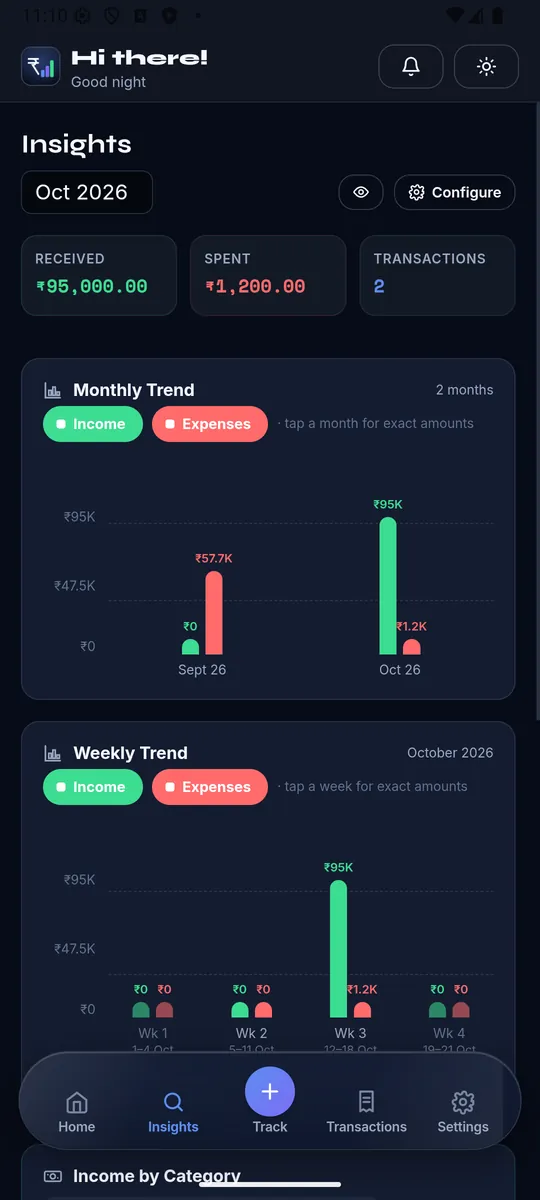
📊Monthly Trend
Income vs. Expenses per month, either series toggleable; tap a bar for the exact amount.
📊Weekly Trend
Same Income/Expenses bars, broken down by week within the selected month.
🎯Category Budgets
Budget-vs-actual for every Category Type with a limit, closest-to-limit groups first — the same "Edit limits" sheet as Home's widget.
💵Income by Category
Top sources money came in from — a 3-way toggle lets you view by Category, Category Type, or Transactor (the actual payer, with their brand logo).
🏷️Top Categories
Same treatment for spending, same Category/Category Type/Transactor toggle. Tap any row to jump to filtered Transactions.
🔖Spend by Tag
Spending grouped by your own tags (a transaction can carry several, so totals won't sum to total spend).
🏆Top 5 Transactions
The five largest transactions this month — tap one to open it directly.
🔁Suggested Recurring
Merchant patterns the app thinks might be recurring but hasn't confirmed — Confirm promotes it to a real recurring item (which then appears on Home's Monthly Payments Calendar), Dismiss drops the suggestion.
Three ways to add a transaction, plus Gmail auto-fetch.
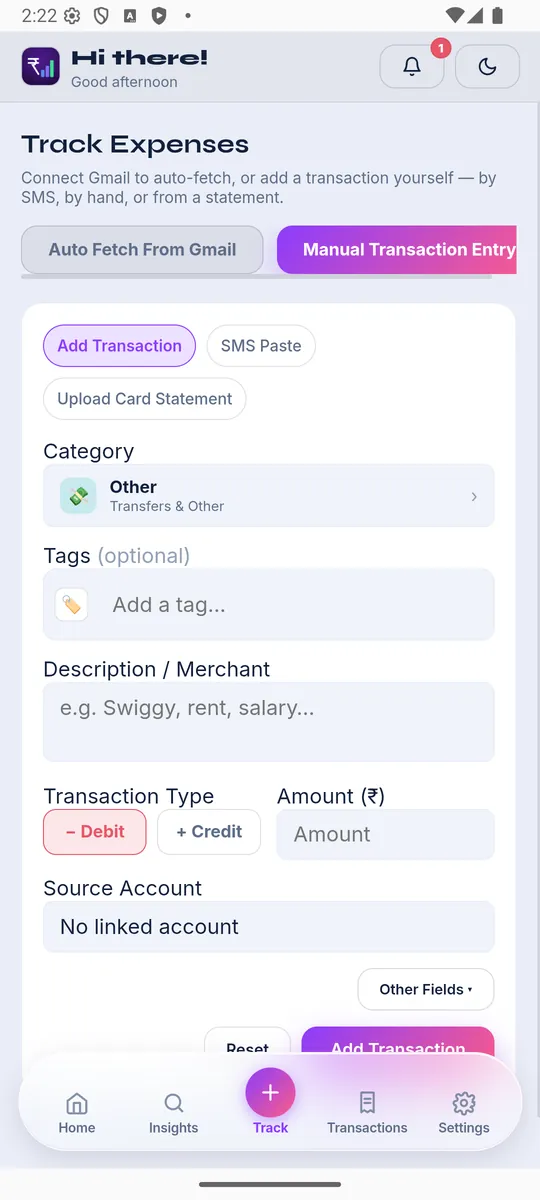
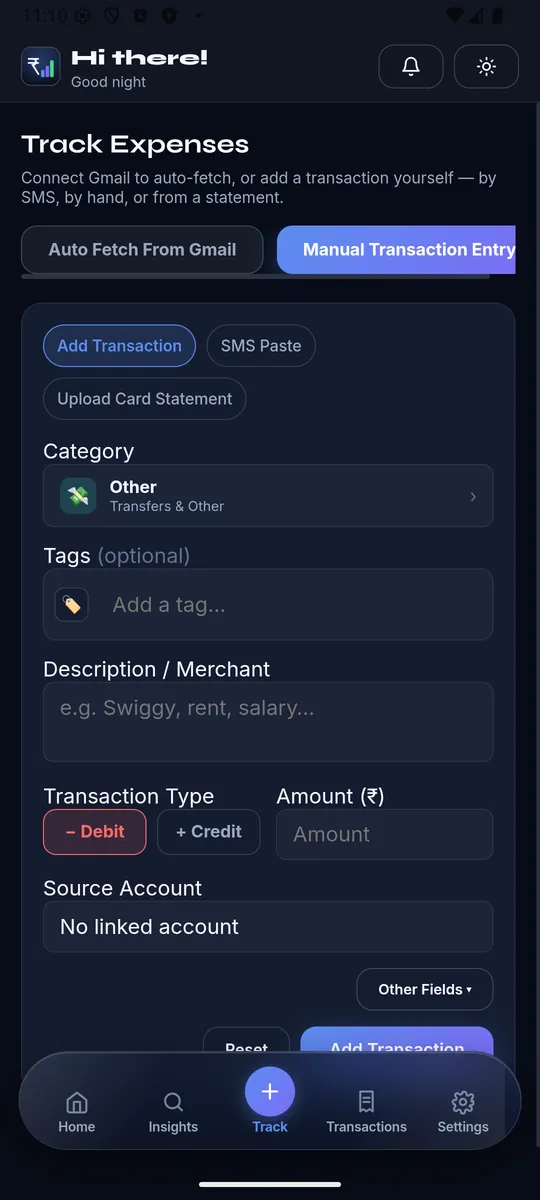
✍️Add Transaction
- Category — full picker with search, custom categories, and category sets.
- Tags — optional; auto-suggests from the merchant text if nothing's picked yet and auto-tagging is on.
- Description/Merchant, Debit/Credit toggle, Amount.
- Linked account — grouped Bank Accounts/Credit Cards, your default marked with a ★.
- Transfer-to-account — appears automatically when Category = Transfer; offers to link to a matching existing entry on the other account instead of creating a duplicate.
- Other Fields (collapsed by default) — Date & Time, Note, Recurring flag, Exclude from totals, Convert to EMI (creates a real EMI plan on the card), Mark as EMI Installment, Contribute to a savings goal, Mark as credit card bill payment.
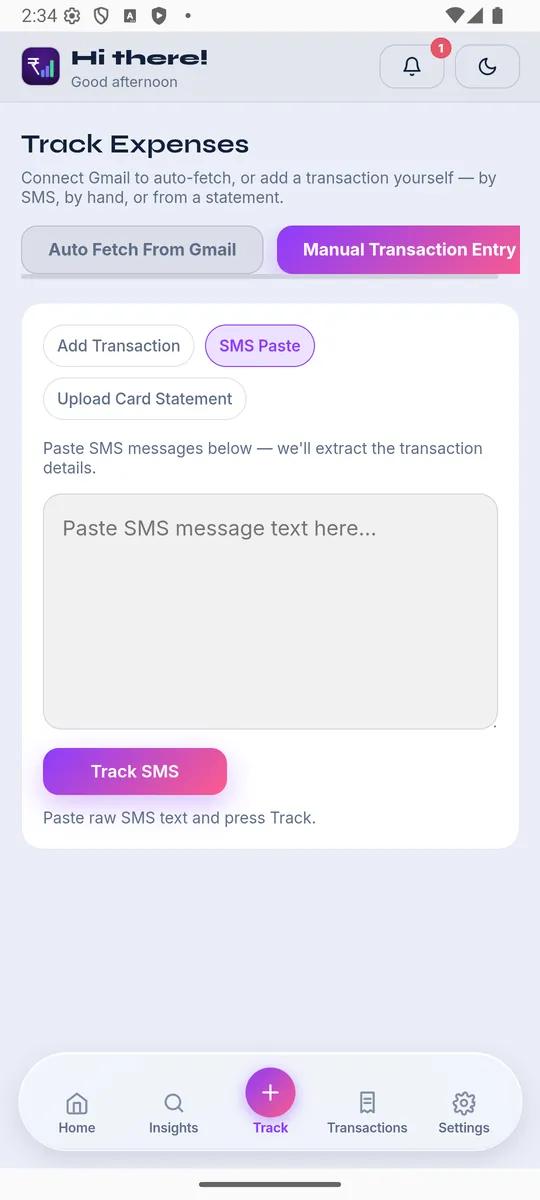
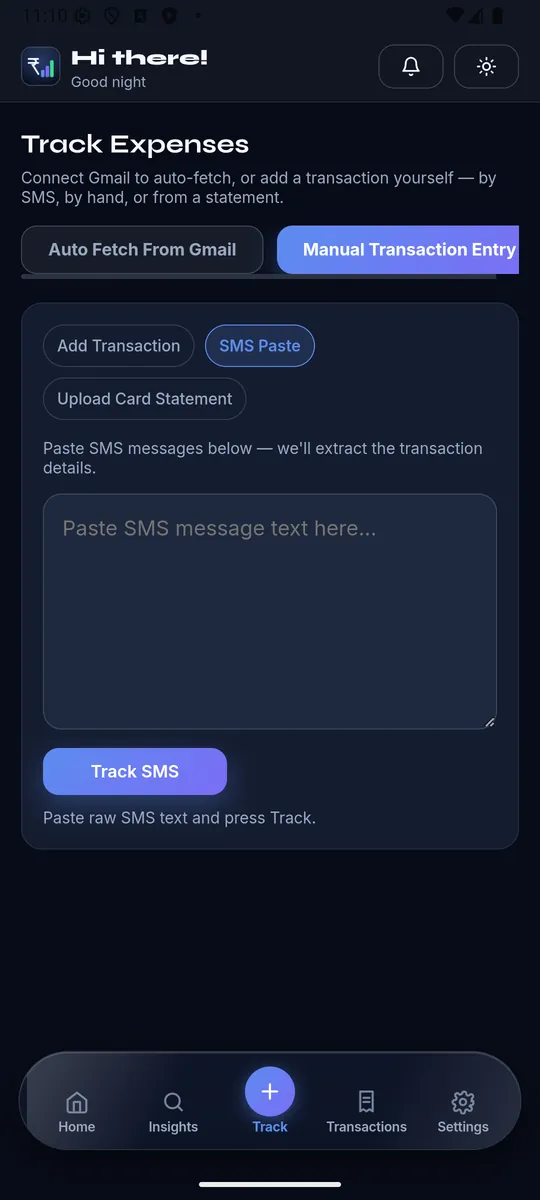
💬SMS Paste
Paste a raw bank SMS into the textarea and hit Track — the app extracts merchant, amount, and type for you.
📄Upload Card Statement
Pick the account, the billing month (cards only), the PDF, and a password (pre-filled from Profile if saved). "Reconcile Statement" unlocks, parses, and opens the full reconciliation review — see below.
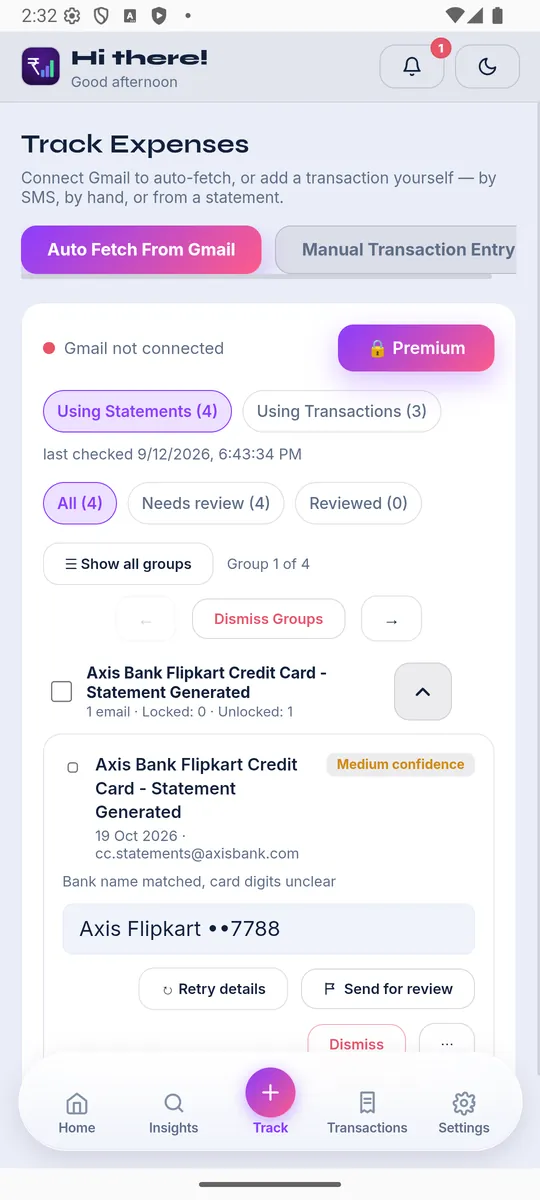
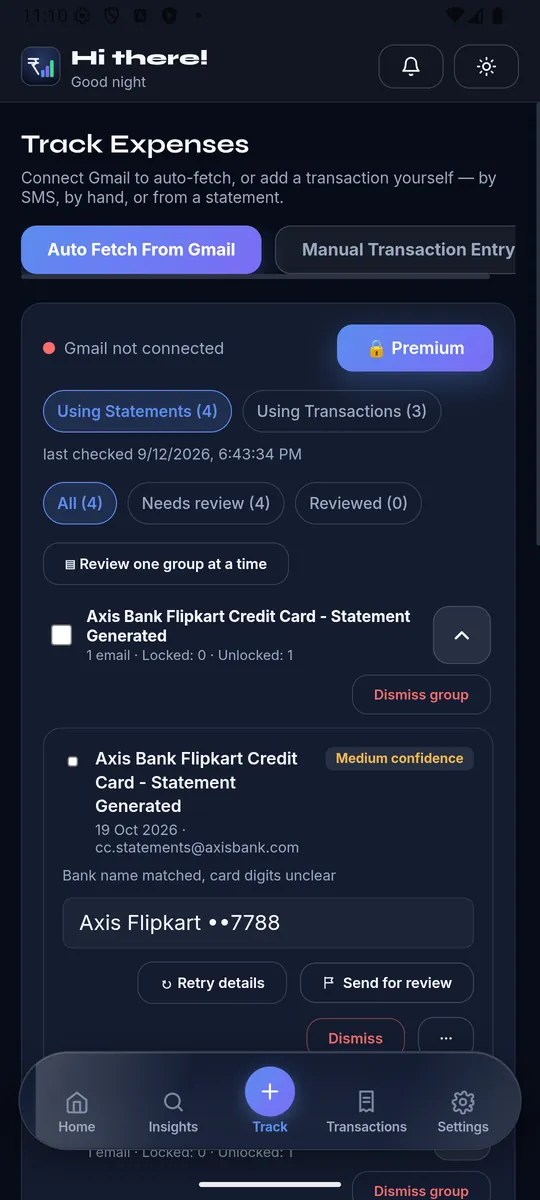
🔗Connect & Configure
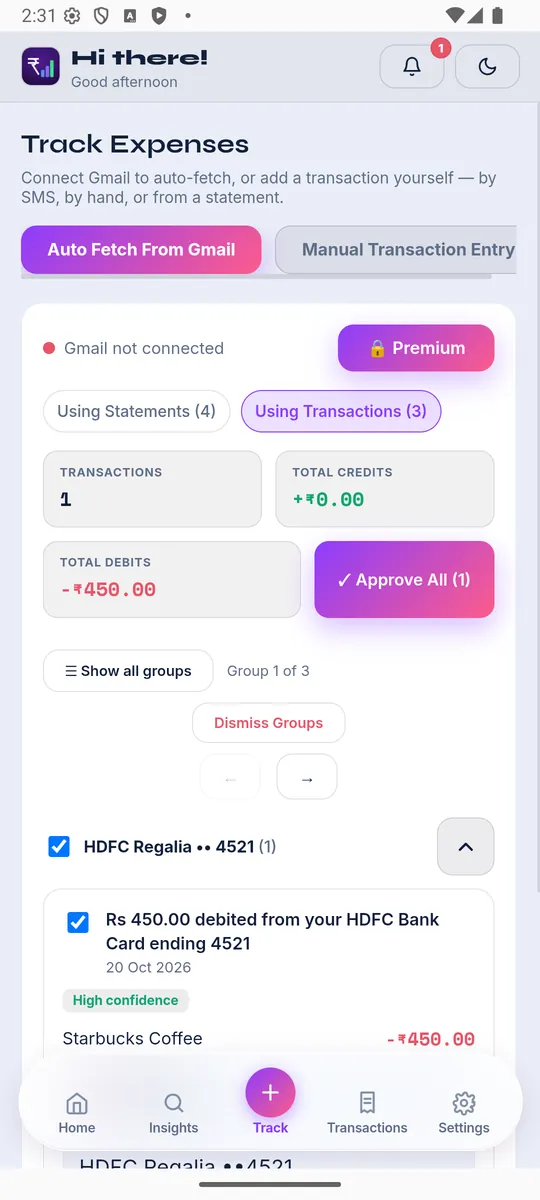
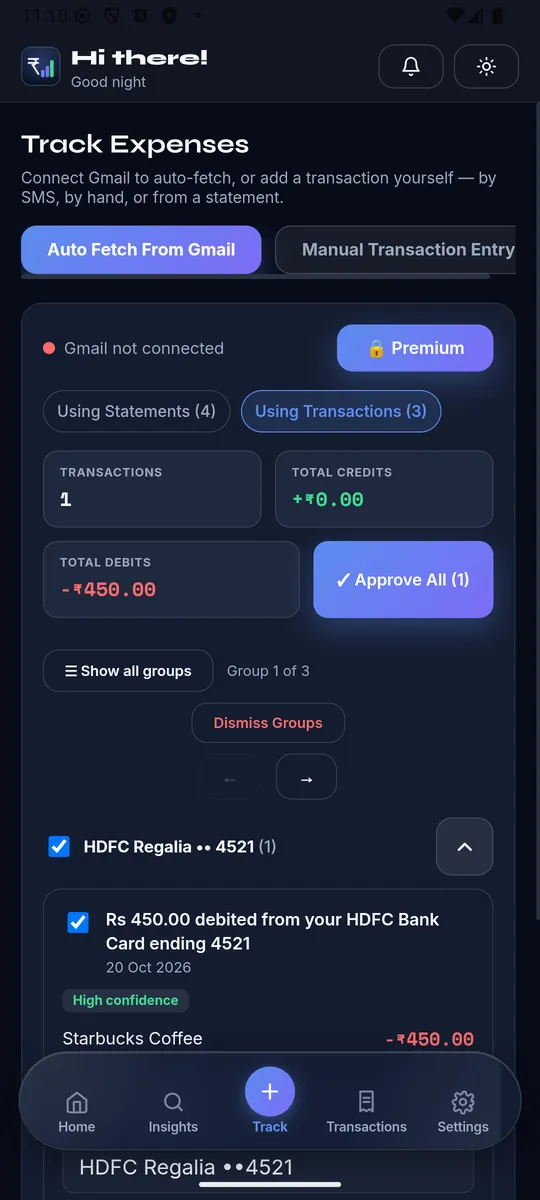
Connect Gmail once (behind a consent screen); "⚙ Configure" lets you set the fetch-since date, toggle background auto-fetch, manage skipped senders, or disconnect entirely.
📬Fetch progress & results
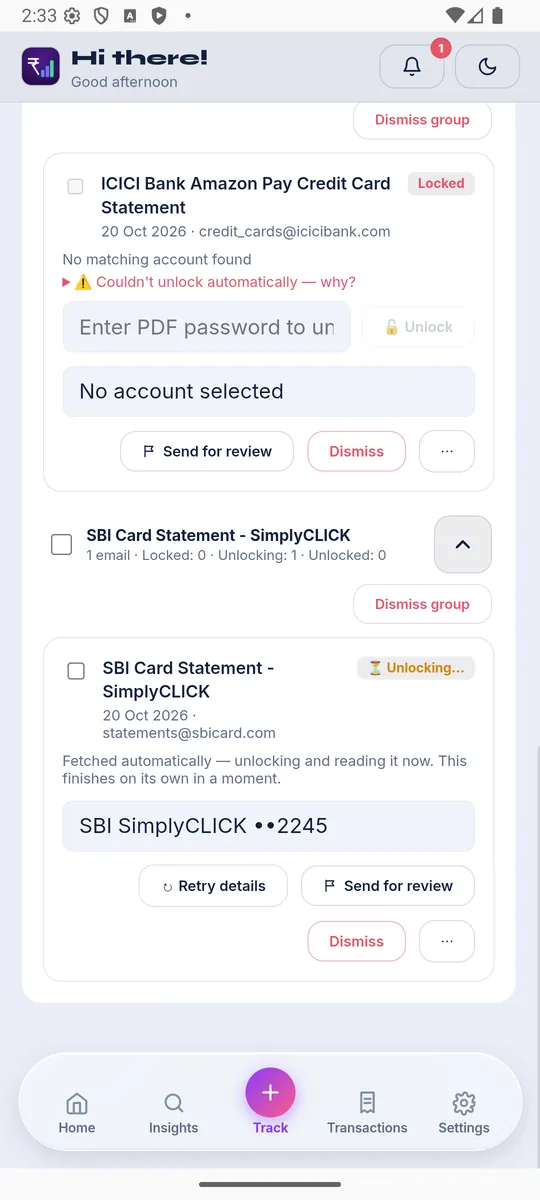
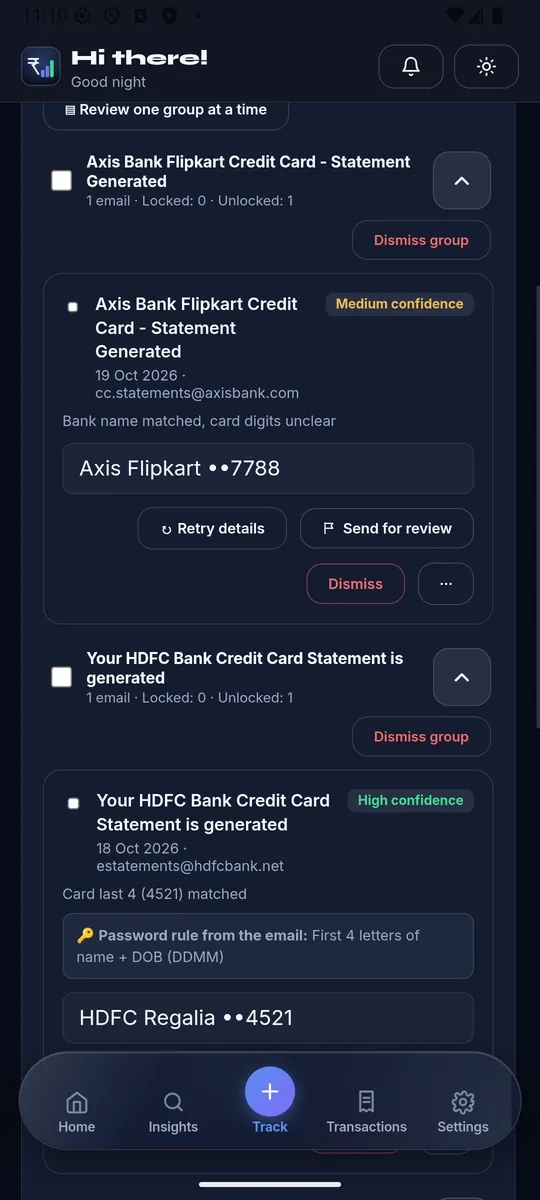
A live progress bar while fetching, then results grouped by email template/account, each showing a confidence badge (High/Medium/Low/Unmatched/Locked). Locked PDFs unlock inline or via "🔓 Unlock all" per group.
✅Review, approve, or dismiss
- Transaction emails can be bulk-approved ("✓ Approve All") when every entry in view has a matched account.
- Statements are approved one at a time only — a mismatched account match could misfile many transactions at once, so there's no bulk approve for statements.
- "✎ Other Fields" opens the same advanced fields as manual entry. "🚩 Send for review" flags anything the parser got wrong for manual admin review.
🔓Statement reconciliation
- Missing from app — statement transactions not yet tracked; check the ones to add.
- Not on statement — app transactions this period the statement never mentions; exclude them from totals without deleting.
- A live reconciliation check compares your tracked balance against the statement's own reported total, auto-suggesting an adjustment if they don't match.
- Field diffs (limit, due date) the statement disagrees with your saved account details, with a per-field "update" checkbox.
Your full history — filter, edit, export.
🔍Filters
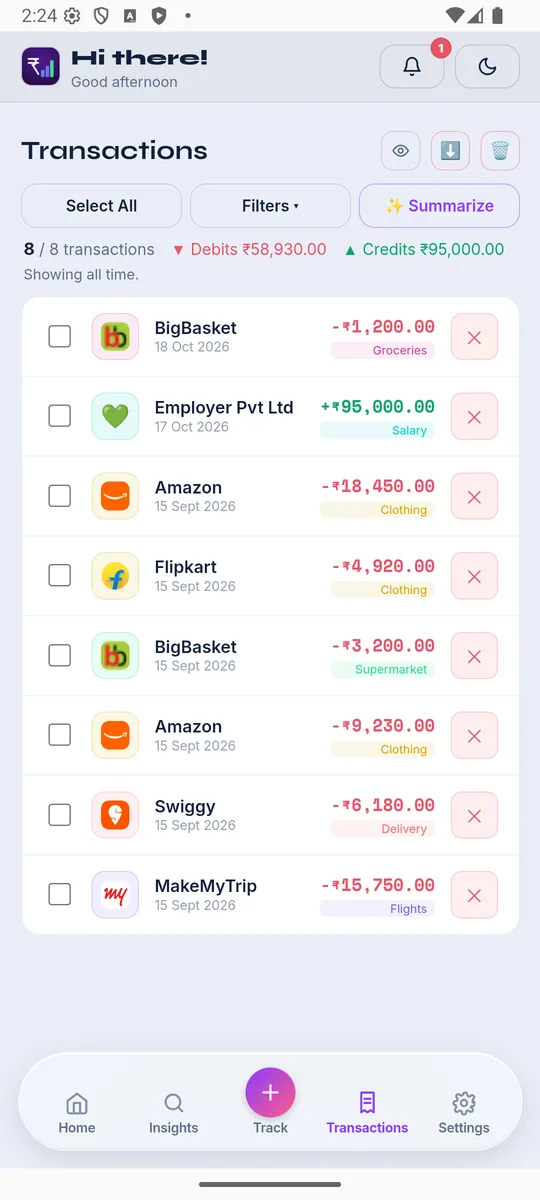
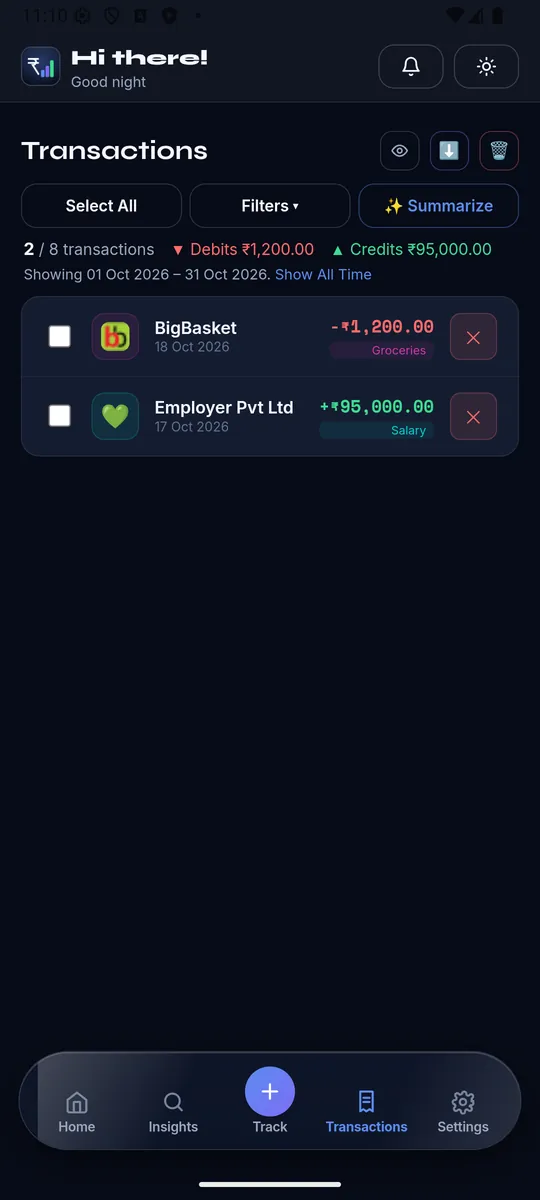
Search text, Type, Category/Category Type, Account, Account Type, date range, and (when they exist) Tags and Trips — all in one popover. "Show All Time" clears the date range; "Clear filters" resets to the current month.
☑️Bulk actions
Select one or more rows to swap the toolbar into a selection bar: Set category, Contribute to goal, Include/Exclude from totals, link exactly-2-selected debit+credit as a bill payment, or Delete the selection.
⬇️Export
Export every transaction as XLSX or CSV, or (Premium) a pre-built "Dashboard Overview" Excel workbook with real charts from your own data.
✏️Edit or delete a transaction
Tap any row to open full detail — same fields as manual entry (merchant, category, tags, type/amount, account, transfer-to, Other Fields), plus read-only metadata (date added, parsed source). "✕" on a row deletes it with a confirm dialog.
🏷️Grouping
Narrow the Category Type filter to one specific type and the list switches to grouped-by-category cards, each with its own subtotal.
🔗Linked-pair badges
A small badge under the amount marks "💳 Bill Paid," "👁️ Excluded," or "🔗 Linked · excluded" (the other side of a bill-payment/transfer pair, visible for audit but counted only once).
Profile, Subscription, and everything else.
🙍Your details
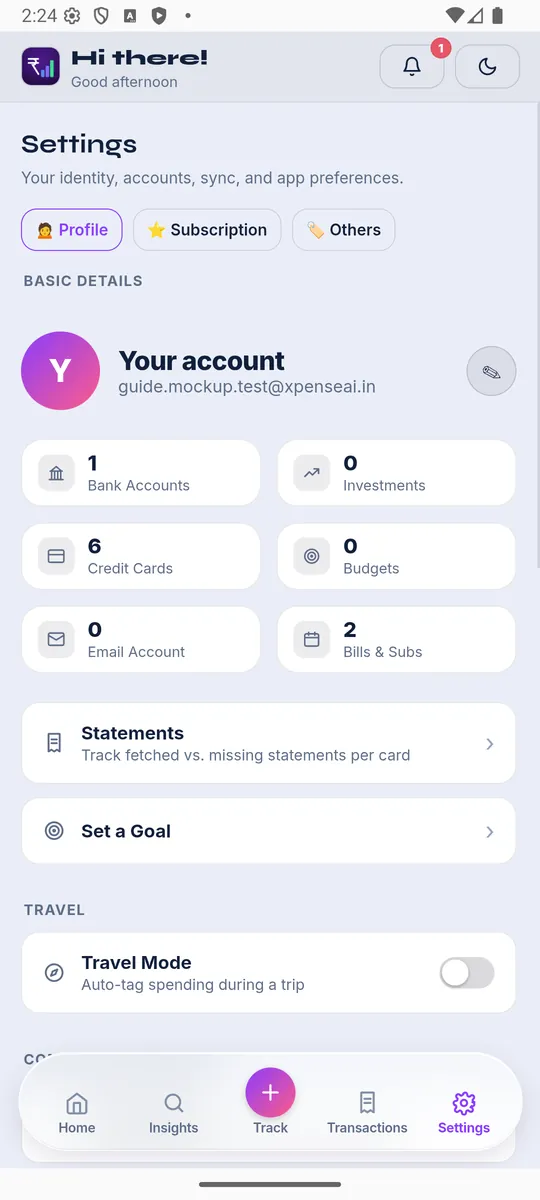
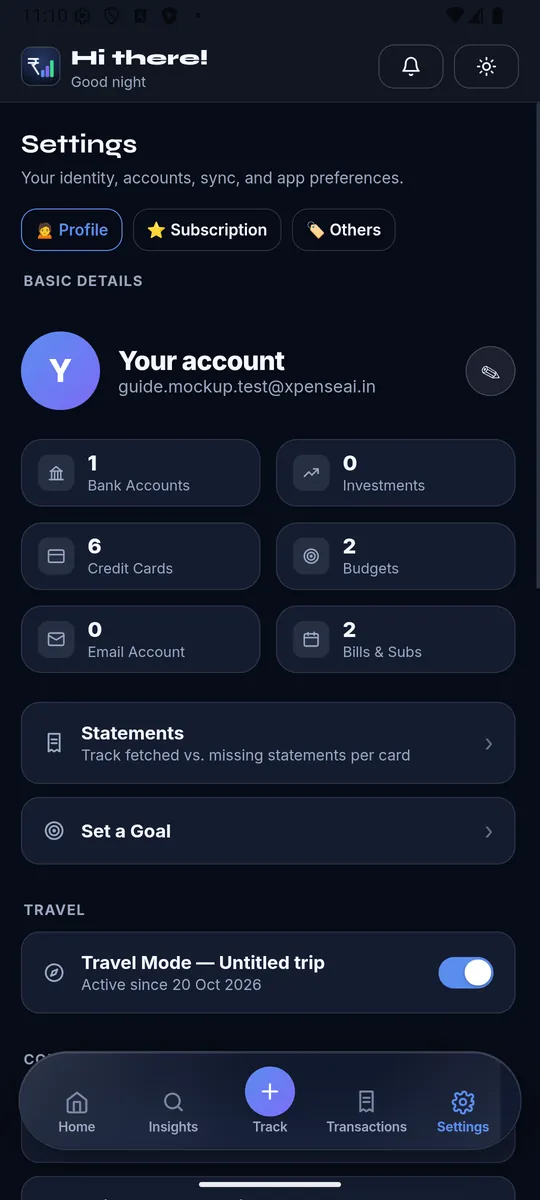
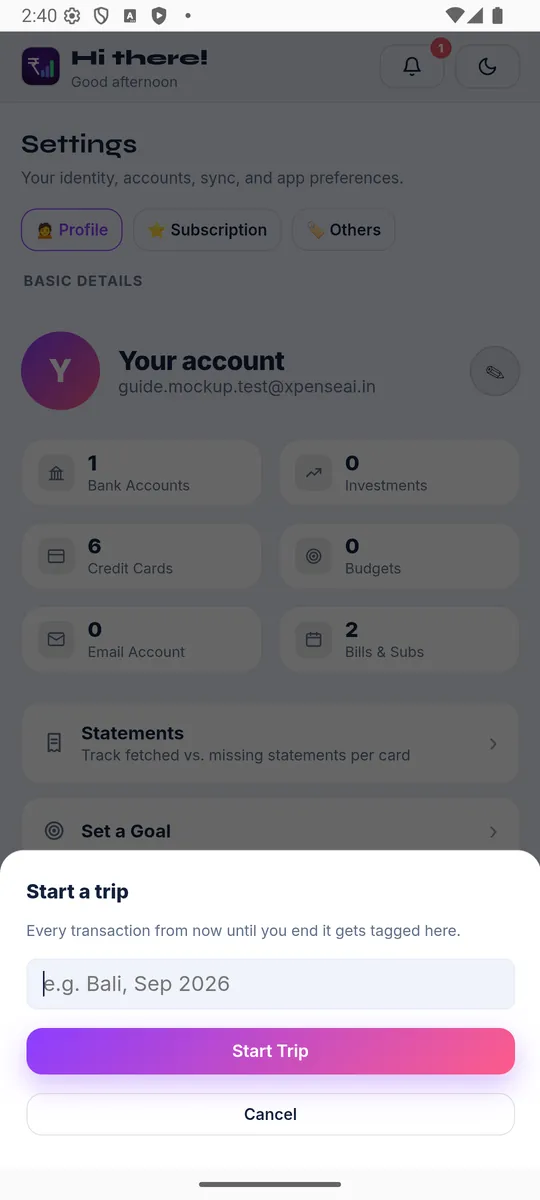
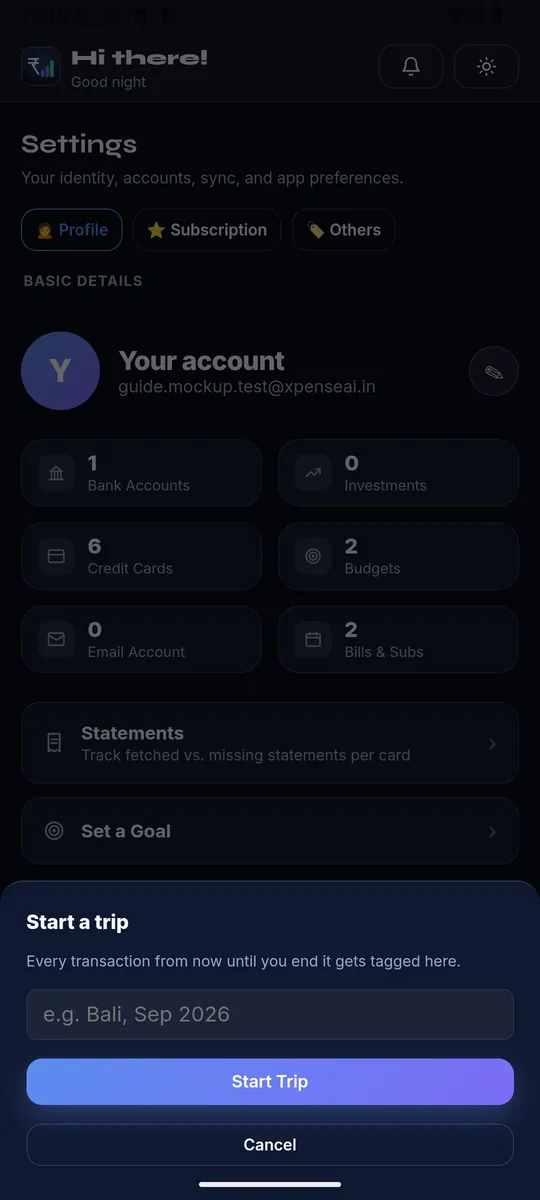
Name, date of birth (used to auto-unlock statement PDFs), mobile, email, default currency, start-of-month day, and timezone — all editable from the identity header.
🧭Quick-access stat tiles
Bank Accounts, Investments, Credit Cards, Budgets, Email Account, and Bills & Subs — each tile deep-links straight to that screen.
✈️Travel Mode
Toggle it on to name and start a trip — every transaction from that moment is tagged to it automatically, until you end the trip. The Trips list shows every past trip with total spend and lets you untag individual transactions or add a past trip manually.
👥Referrals
Share your invite link; 3 qualifying referrals (friend signs up within 24h of opening your link) with at least one going Premium earns you 1 free Premium month, up to a cap.
🎨App Settings
Backup & Sync, Appearance (dark/light), Hide Amounts, Biometric Lock (native only), Restart Onboarding.
🔐Account & security
Link Google Account, Change/Set Password (re-enter your current password first if you already have one), Sign Out, and Delete Account.
🗑️Deleting your account
A 5-step flow: optional feedback → a summary of exactly what gets deleted → type "DELETE" to confirm → re-enter your password or a one-time code → deletion runs and signs you out.
🏦Adding an account
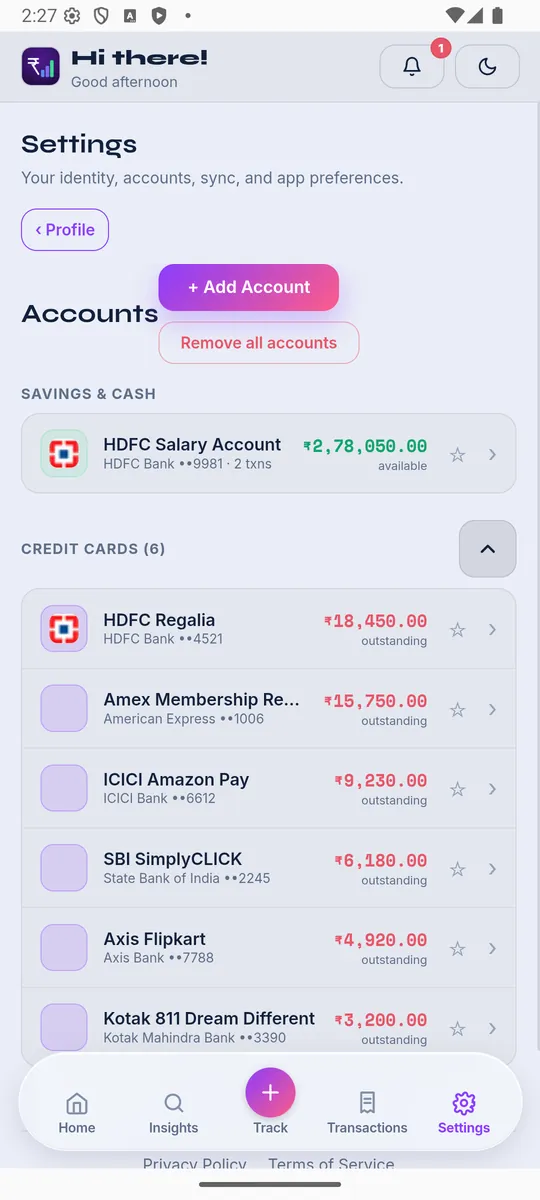
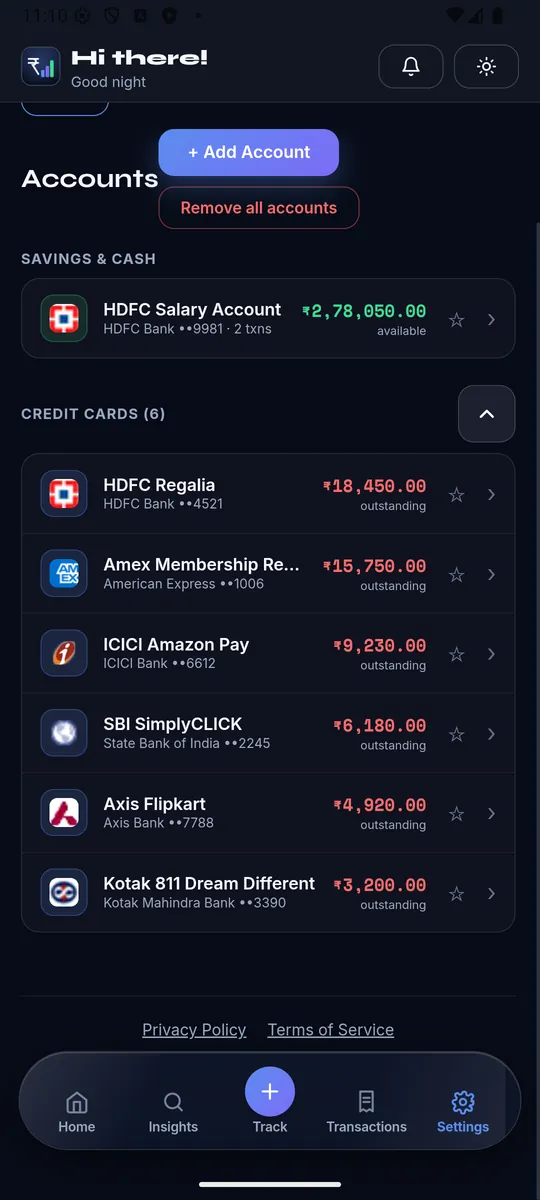
Choose Savings, Credit Card, or Cash. Savings/Credit ask for bank + last-4 digits; Credit adds limit, due date, grace period, and a statement password pattern (using your DOB) to auto-unlock future statements. Savings accounts can also list linked debit cards so card spends match the right account.
💳Credit Cards view
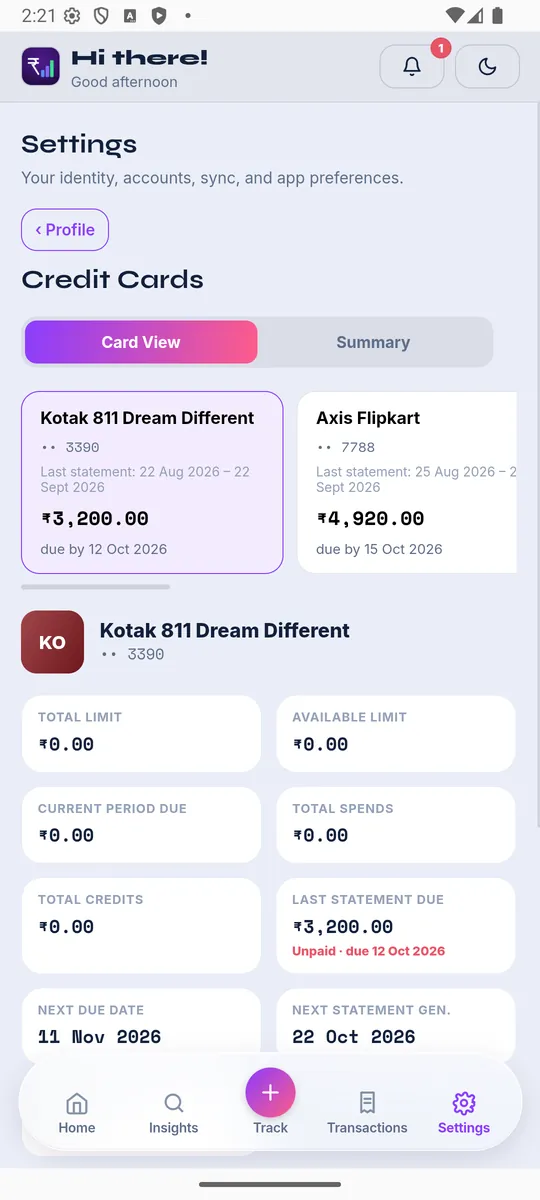
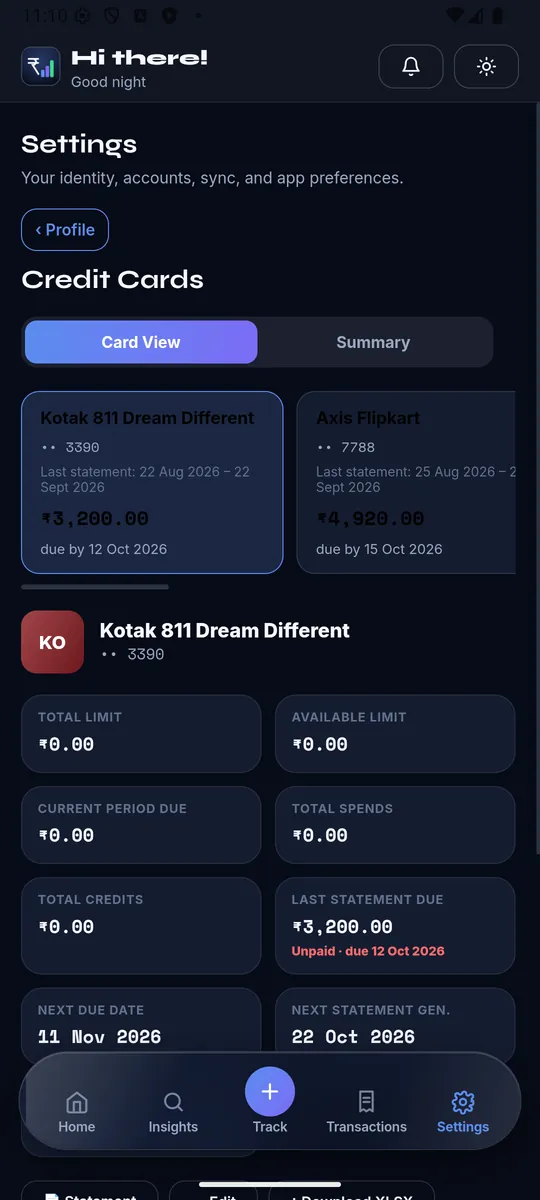
A horizontally scrollable strip of real bank-branded card tiles, soonest-due first. Tap one for full detail: limit, available limit, Due Now vs Accruing, last statement's paid/unpaid status, next due/statement dates, and every past statement cycle with its own transaction list.
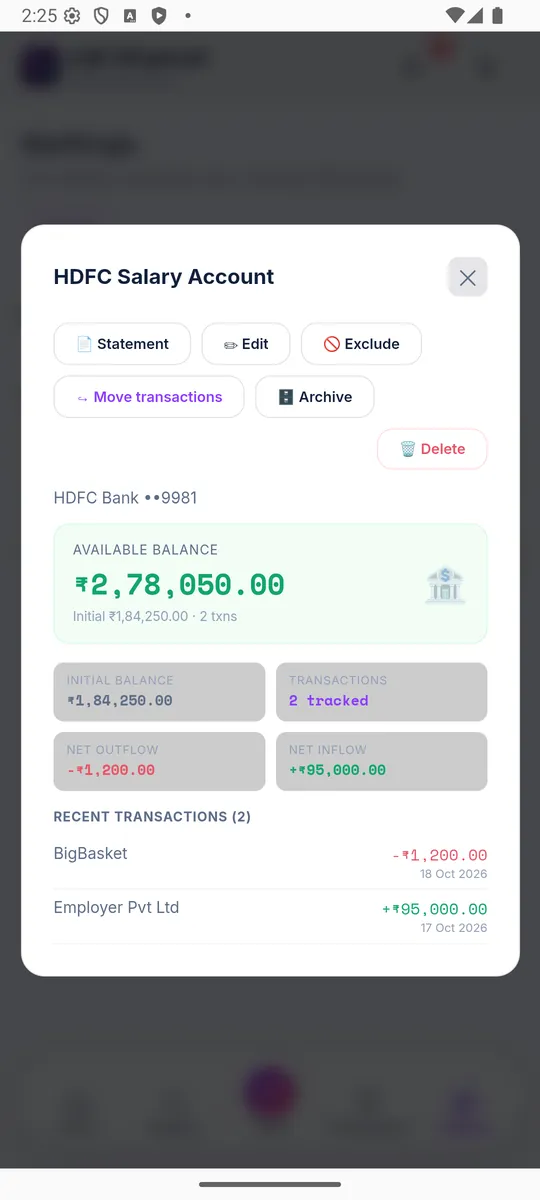
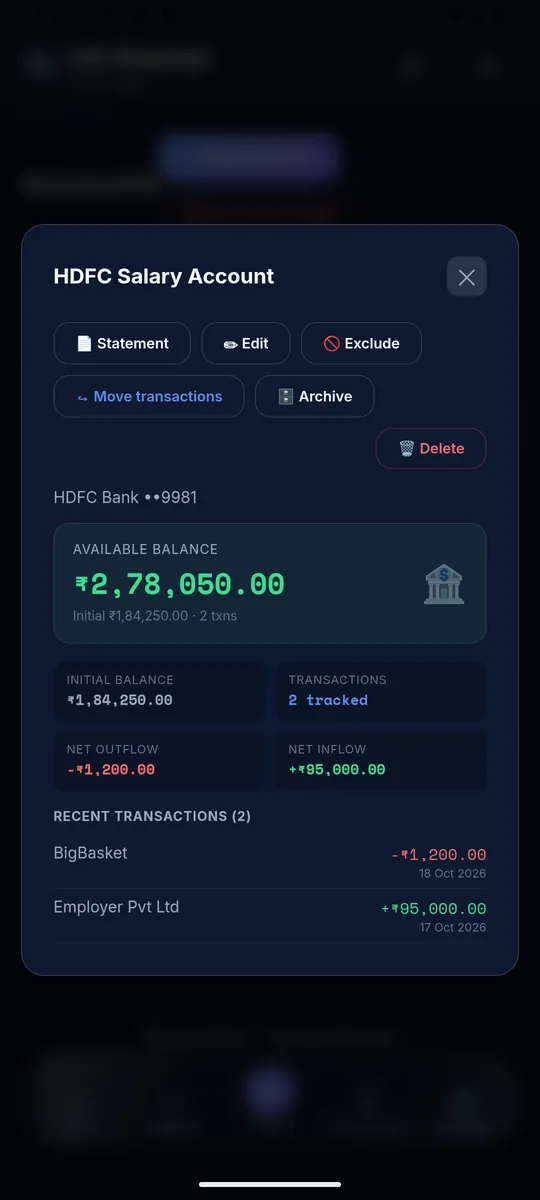
↪️Move Transactions
Reassigns every transaction and active EMI plan from one account to another — for a reissued or closed card. The old account becomes permanently read-only.
👁️Exclude / Archive
Exclude keeps an account fully visible but stops its transactions counting on Dashboard/Insights. Archive hides it from pickers entirely while keeping its data intact — both are reversible.
☁️Backup & Sync
Connect Gmail once to also enable Google Drive backup — "Backup Now" for an on-demand snapshot, a list of recent backups with Restore/Delete. A manual path also exists: copy your data as JSON/base64, or paste one back in to restore. Neither path syncs automatically in the background.
📄Statements
Per card, see whether the latest statement was matched, view/download/re-process/remove it, and browse full history. A 3-step Excel import tool (download a template pre-filled with your real accounts/categories, fill it in, upload) is also here for bulk re-imports.
⭐Plan & billing
Four states: Free, Trial, Premium, or a Referral Reward month. Free shows live usage against its caps (2 accounts, 20 txns/month, 500 total). Checkout runs through RevenueCat on native apps (App Store/Play Store) and Razorpay on web. Manage Subscription, Restore Purchases, and an Invoices list are all here too.
💳Loan/EMI
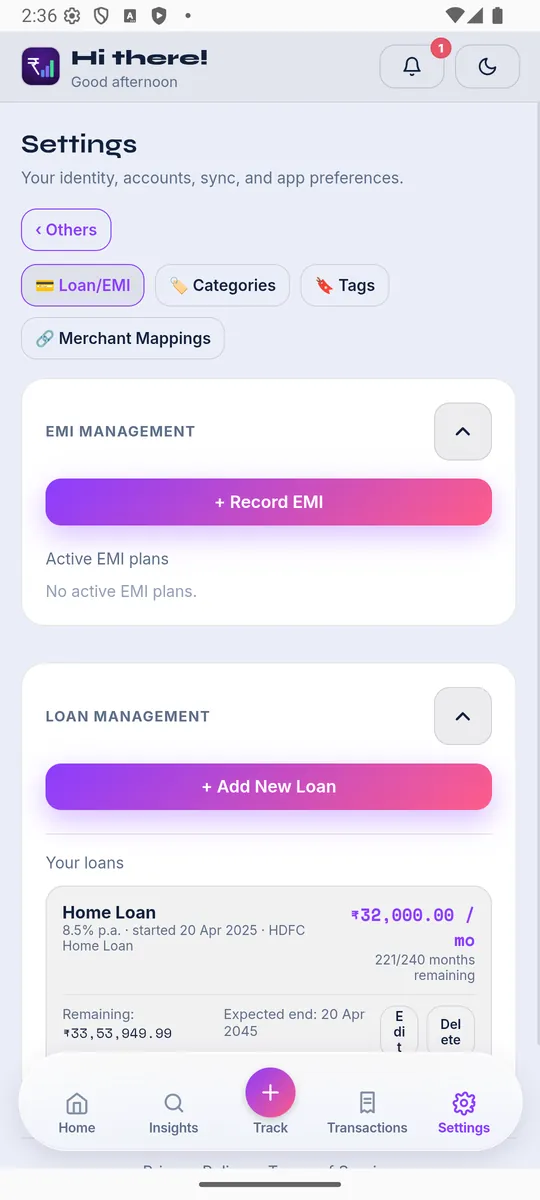
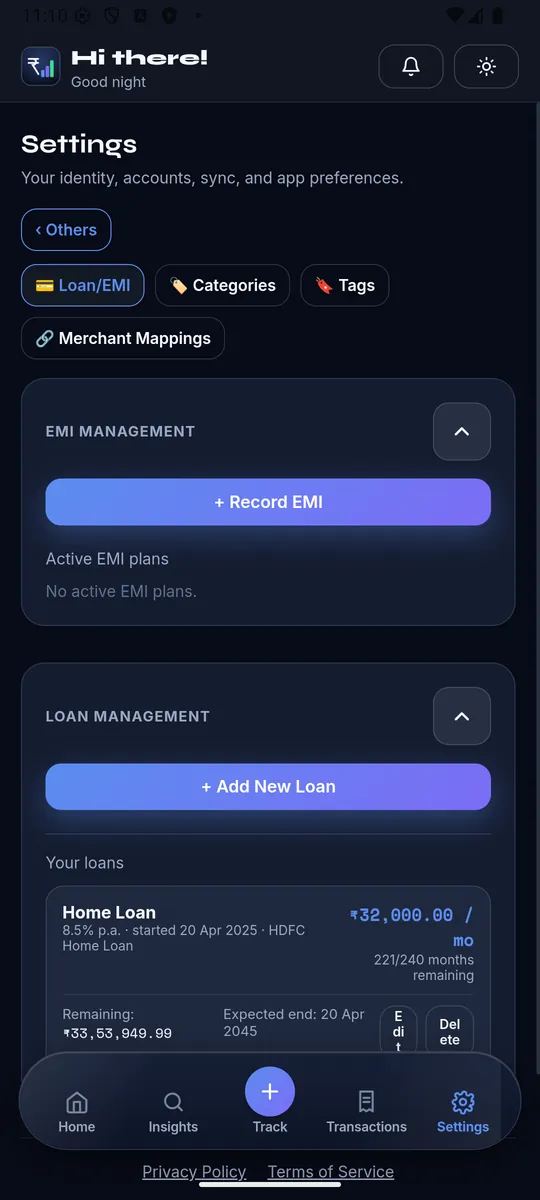
Manage credit-card EMI plans and real loans (original amount, rate, tenure, EMI) with a full payment schedule per loan — mark cycles paid, catch up unconfirmed ones in bulk, or log an extra lump-sum payment. The Debt Payoff Calculator here compares Avalanche, Snowball, or a Custom strategy across every loan and card EMI at once.
🏷️Categories
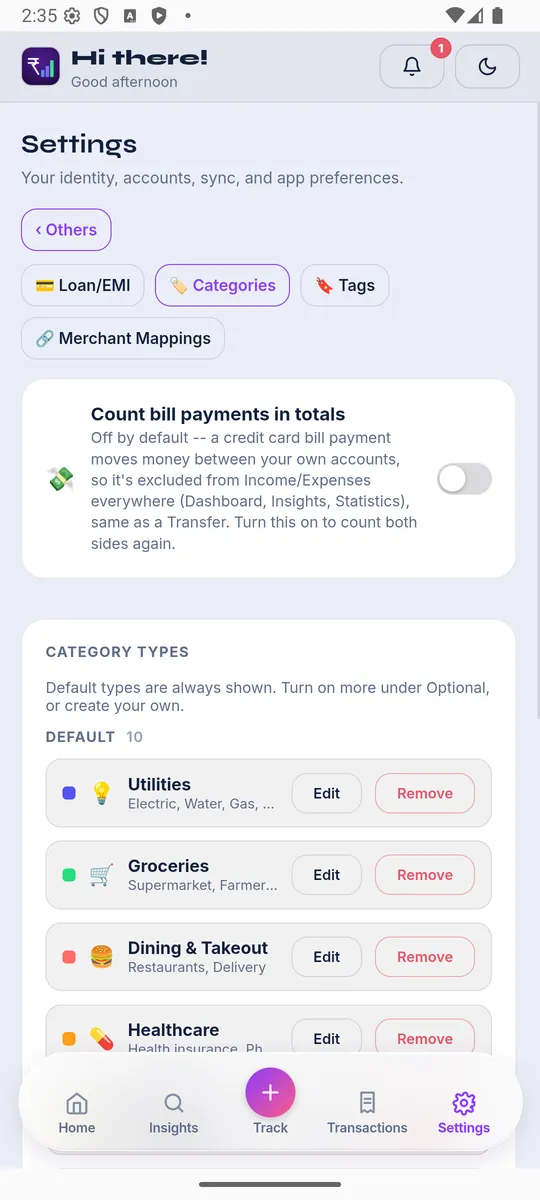
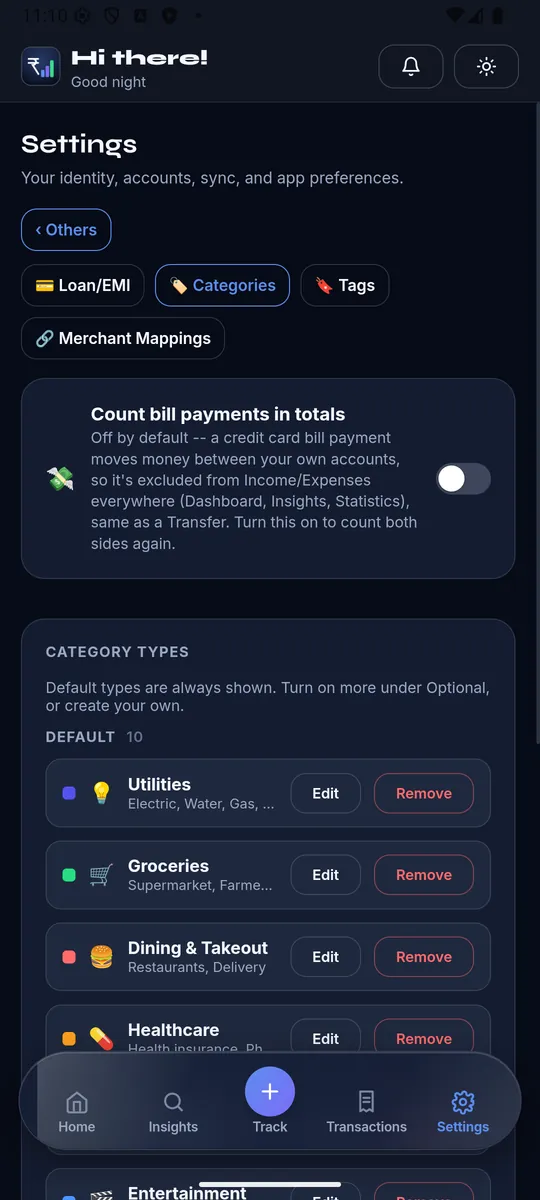
Category Types group related categories (Utilities, Groceries, Dining, etc.) — add your own types and categories, or edit/remove existing ones (a few required seed categories like "EMI" can't be renamed or removed). A toggle controls whether bill-payment pairs count in your totals.
🔖Tags
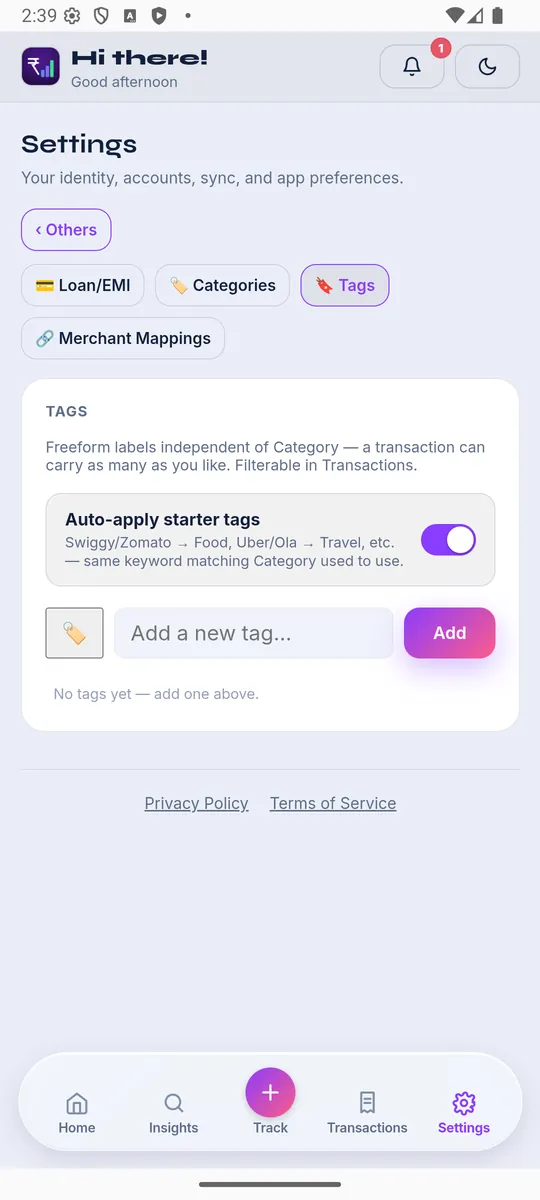
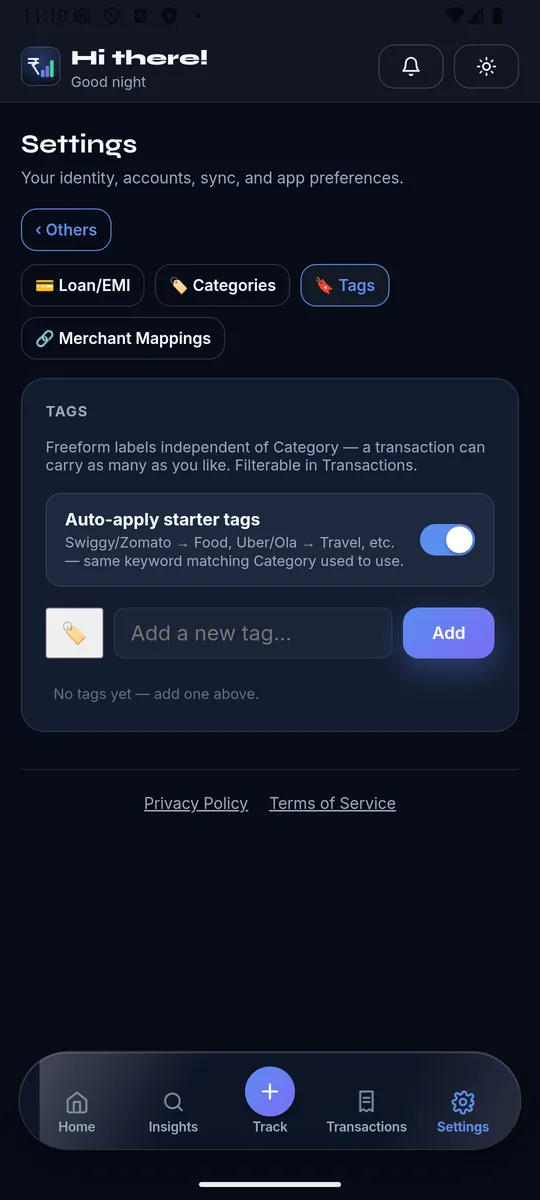
Freeform labels independent of category — add, rename, or remove them, and optionally auto-apply starter tags by merchant keyword.
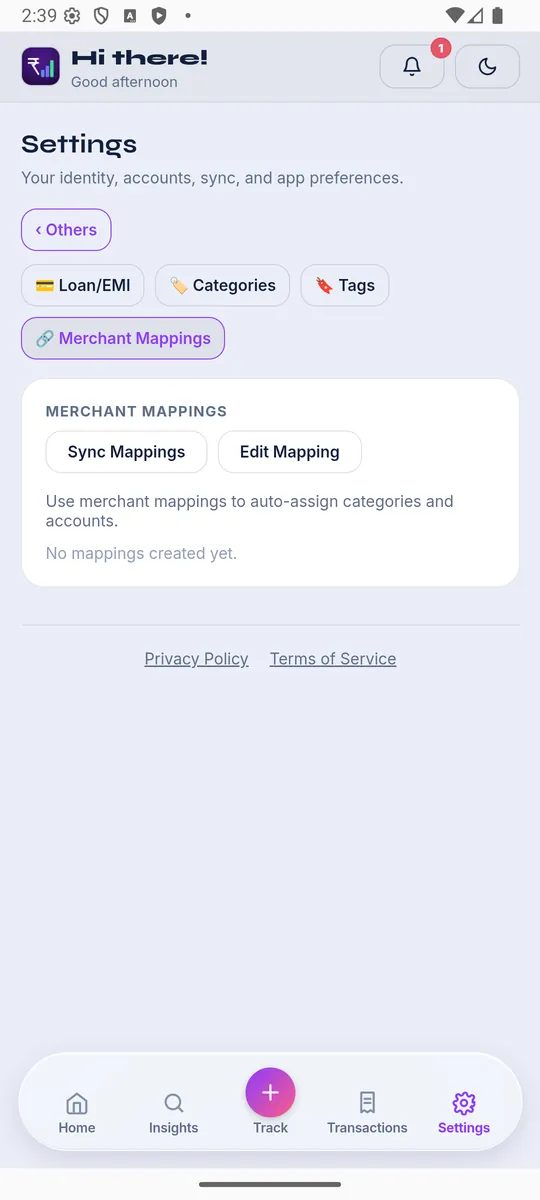
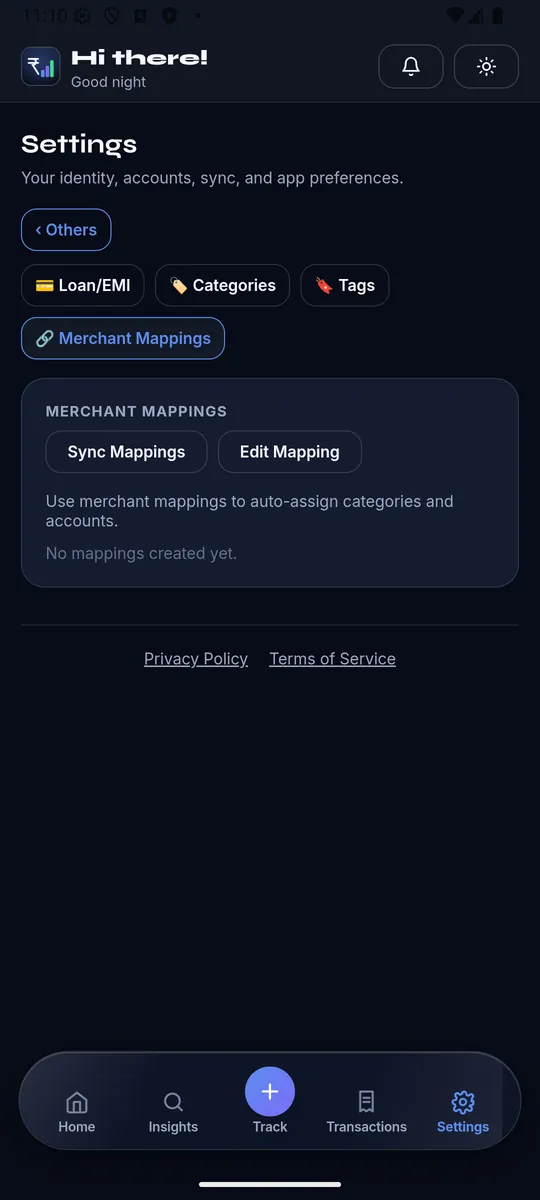
🔗Merchant Mappings
Teach the app "this merchant always means this category (and account)" so future transactions auto-categorize — apply a mapping retroactively to existing transactions too.